

At a glance
Banners, prompts, challenges and bonuses don’t show numbers on their rows. To see how bonuses, challenges, games and offers did across your campaigns, use Promotion insights.
Where to find them
Numbers above 999 are shortened, such as 1.2K for 1,200 or 3.4M for 3.4 million. Point at the number in the List view to see the exact value.
Offer statistics
On its row, an offer shows Assigned, Activated and Redeemed. Select +4 more to open the Offer statistics panel with all seven. All the basket numbers and Total value count only the purchases where a customer used the offer.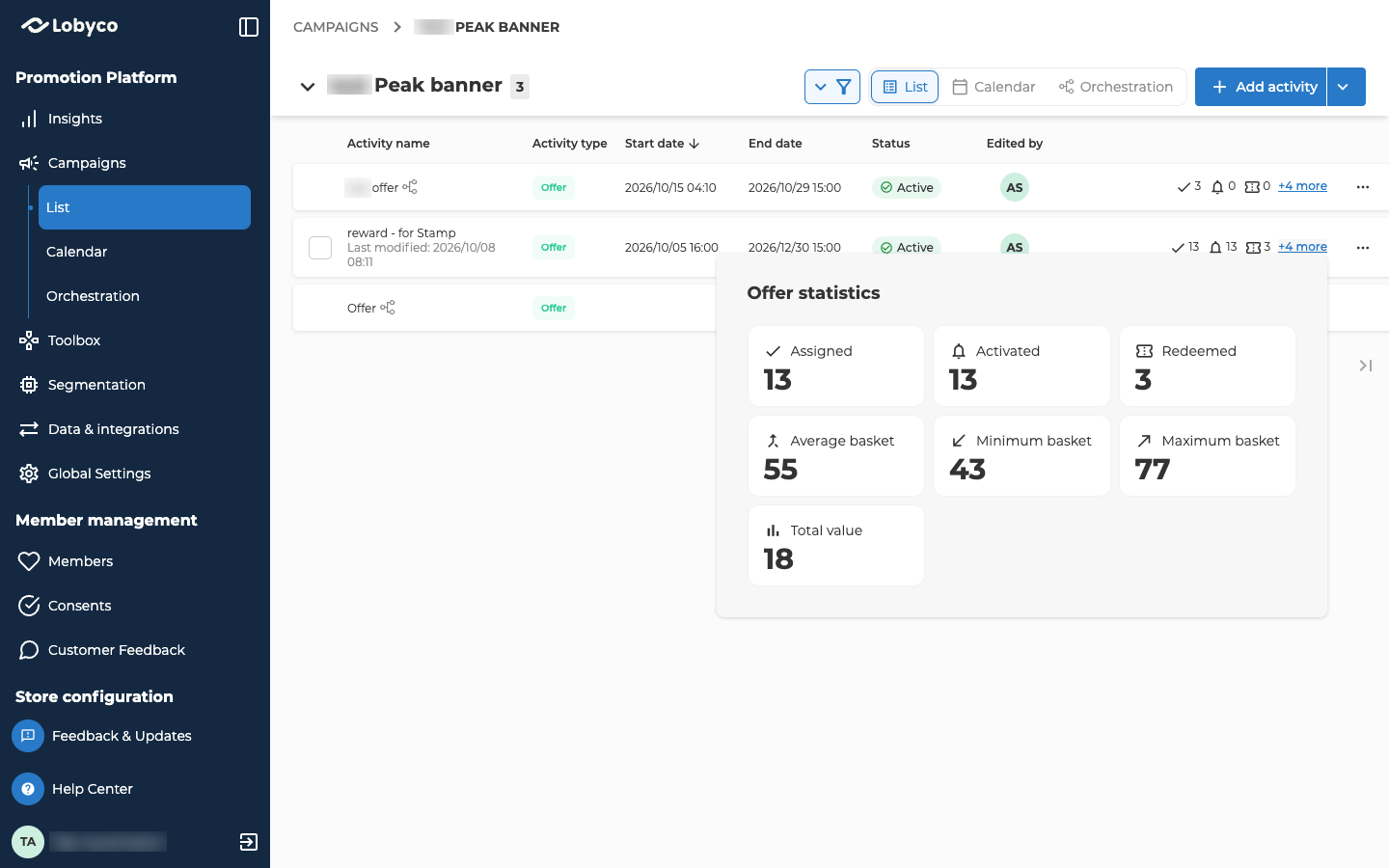
The basket numbers and Total value are whole numbers, rounded down. A total of 12.90 shows as 12.
Your POS sends the basket total, and the discount or bonus it gave, each time a customer uses a coupon. The basket numbers and Total value come from those. If your POS doesn’t send them, they stay at 0. See Coupon redemption at the POS.
Game statistics
A game’s numbers are on its own Statistics tab, not on its row. To open the tab, open the game from its campaign and select Statistics, beside Details. The tab shows once the game has been saved. Each time a customer plays the game is one attempt. The tab shows four totals at the top, then a table of every attempt. The totals always count the whole game, whatever filters you set on the table.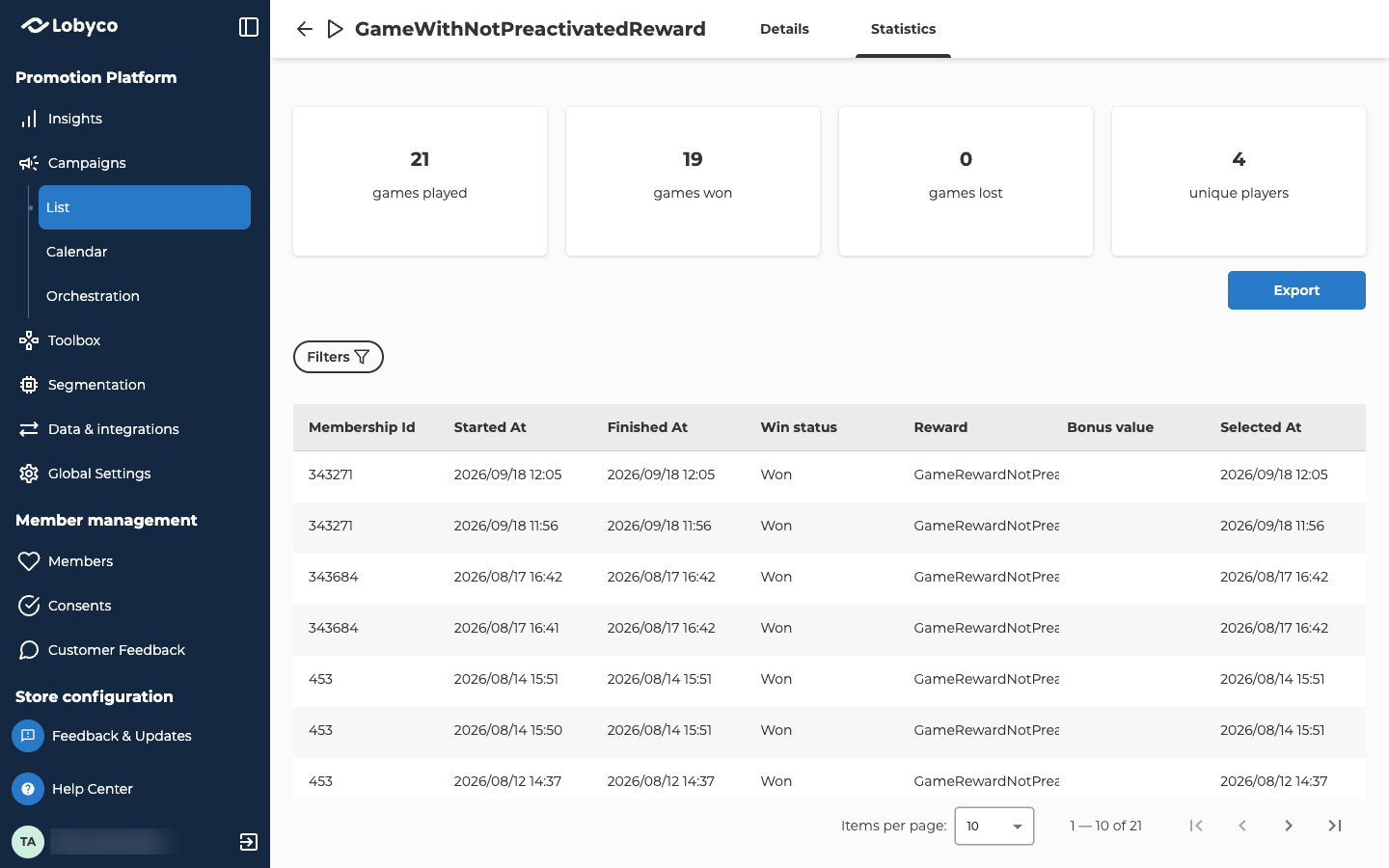
The attempts table
The table has a row for each attempt, newest first.
Reward, Bonus value and Selected At only show on a game with rewards. They’re hidden on a lottery game, because its prizes are given out in the draw instead. You find a lottery game’s winners and prizes on its Lottery tab. See Draw lottery winners.
Filter the attempts
- Select Filters.
- Fill in the ones you need, then select Apply.
To see every game one customer played, not only this one, open their Games tab. See Find a customer.
Export the attempts
Export downloads every attempt as a CSV file. It always holds every attempt, whatever filters you’ve set. It has the same information as the table, plus the ID of each reward. The button only shows when the table has at least one row. The file can be up to 30 minutes old. To see newer attempts, export again later. After the game’s end date, one final file is made, and every export from then on gets that file. If the file is still being made when you export, the export fails. Wait about 15 minutes and try again.Push statistics
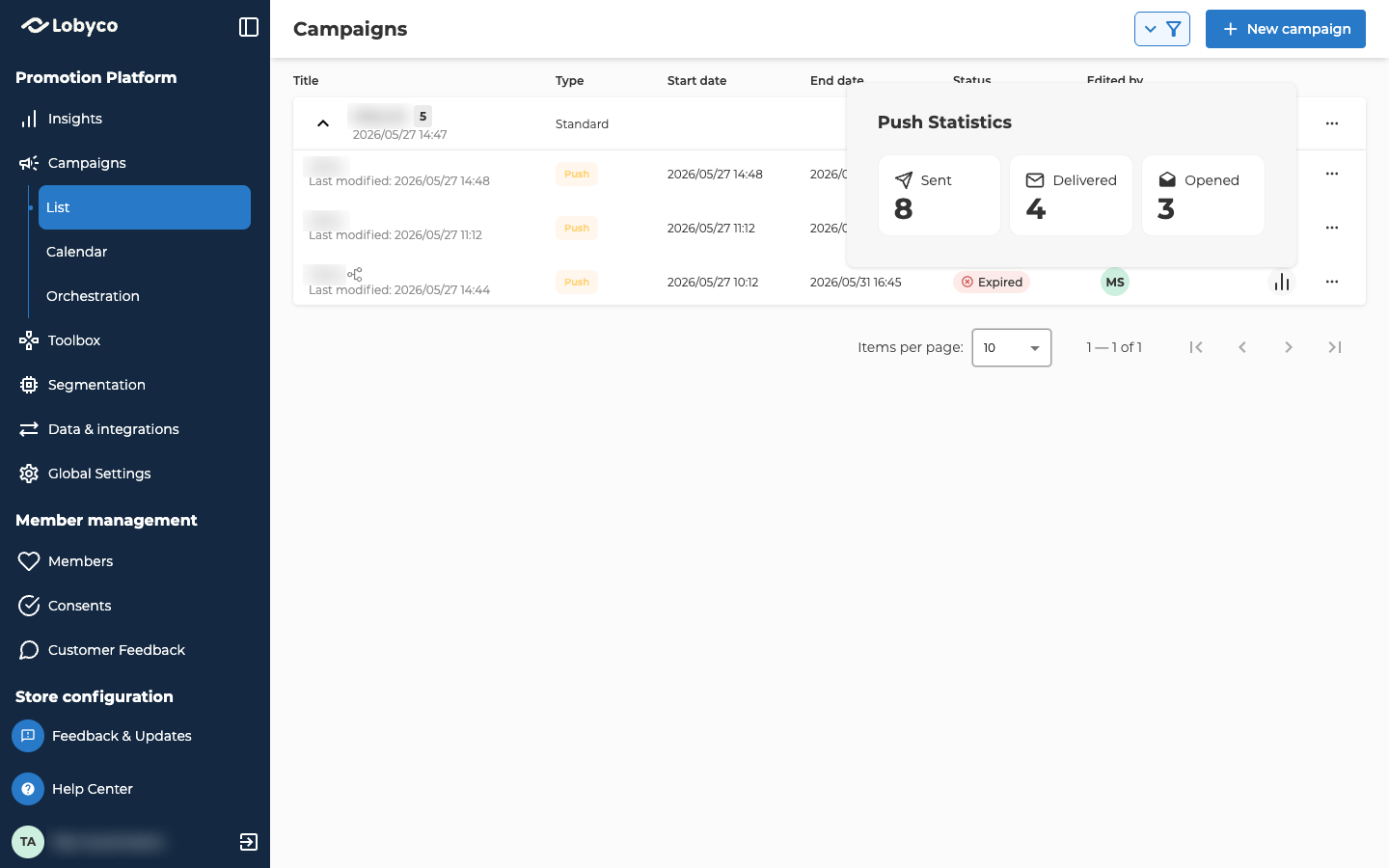
Email statistics
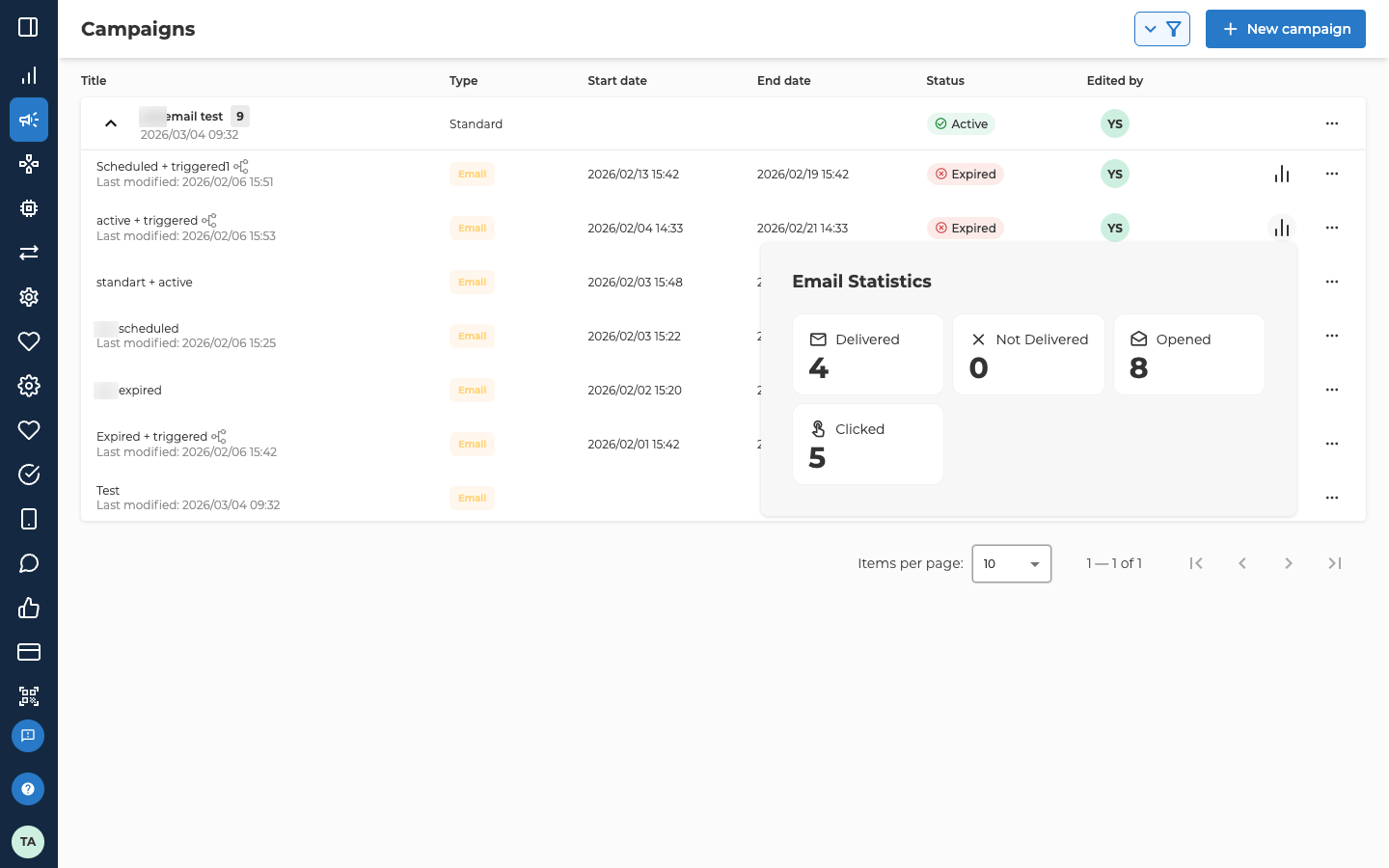
Email numbers update once an hour, so they can be up to an hour behind.
Opened is a guide rather than an exact count. An open only counts when the email’s images load, and some mail apps and browsers block them.
In the List view, the numbers cover every run of the campaign. On the canvas, each run in History has its own numbers, so you can compare runs. When the numbers can’t load, an alert icon shows that the statistics aren’t available right now. Try again later.
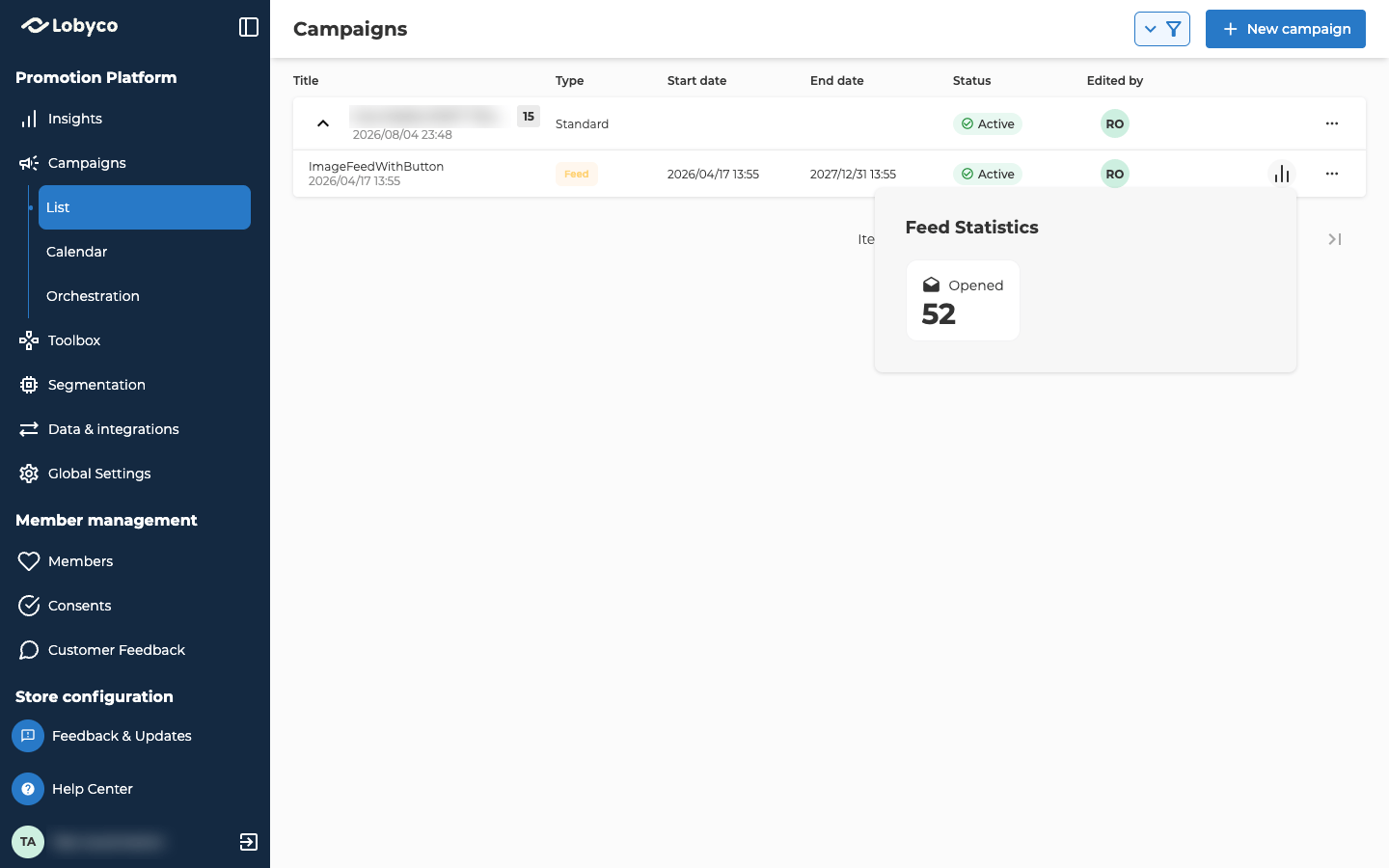
Feed statistics
Related
- Offers — what an offer, a coupon and a discount are.
- Create a game — setting up the rewards that decide which columns the attempts table shows.
- Draw lottery winners — the Lottery tab, where a lottery game’s winners and prizes are.
- Find a customer — the customer’s Games tab, with every game one customer played.
- Promotion insights — investment, sales and engagement across your campaigns, by activity type.
- Schedule and run a campaign — how to open History on the canvas and read each run.
- Emails — how to set up the emails these numbers come from.