

How Nexus fits together
Everything you run for customers sits in a campaign. You create the campaign first, then build the rest inside it. Each campaign decides who it reaches, what they get and how they hear about it.Where things are in Nexus
The left menu in Nexus groups its entries under headings. Most of the ones you’ll use are under Promotion Platform. Members and Customer Feedback are under Member management.
Which entries you see depends on your user roles and on how Lobyco has set up your portal. The menu has more entries under Member management, and under other headings such as Store configuration. This page doesn’t cover them.
Build your first campaign
Build your first campaign in this order. Each page walks you through one part.- Create a campaign. Name it, set who can edit it, and give it dates if it should start and end on set days.
- Create an offer. Build what customers get, choose who gets it, and publish it. Every other activity has its own page under Activities and Communication.
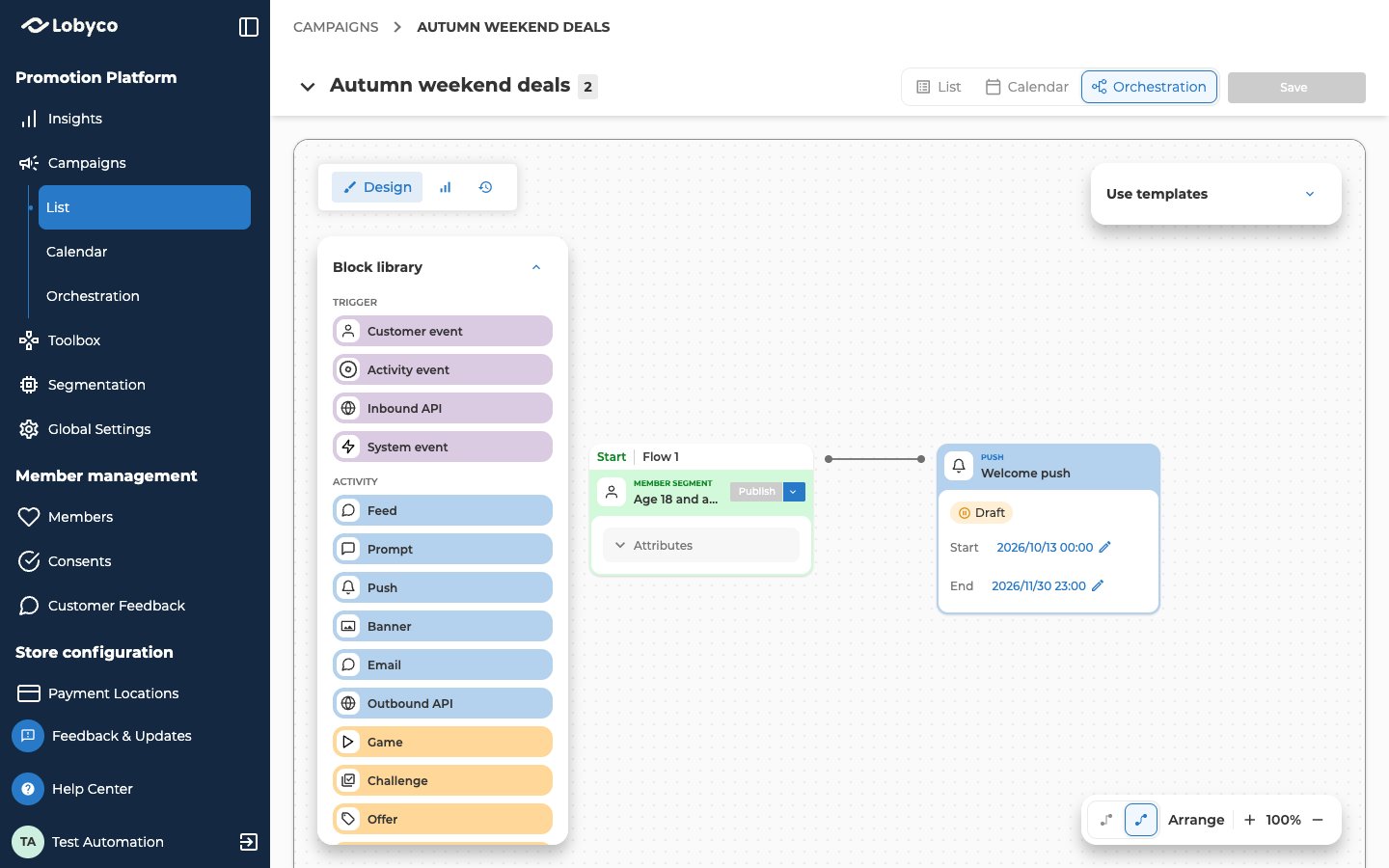
- Create a segment. Pick out the customers you want to reach, to use on the campaign’s orchestration canvas.
- Schedule and run a campaign. Set when a flow runs, publish it, and follow each run.
- Find and manage campaigns. Find the campaign again and check it’s live.
Related
- Use Cases — campaigns built end to end, from the goal to the result.
- Getting started with Lobyco — where to start if you’re connecting a POS, an app or a website to Lobyco. It’s in the developer documentation.