Insights → Promotion is a dashboard of how your campaigns performed. It shows what you gave loyalty customers in bonus and discounts, the sales that came with it, and how customers engaged with your games, bonuses, challenges and offers. The date the figures were last updated shows in the top right corner, as Latest refresh date.

At a glance

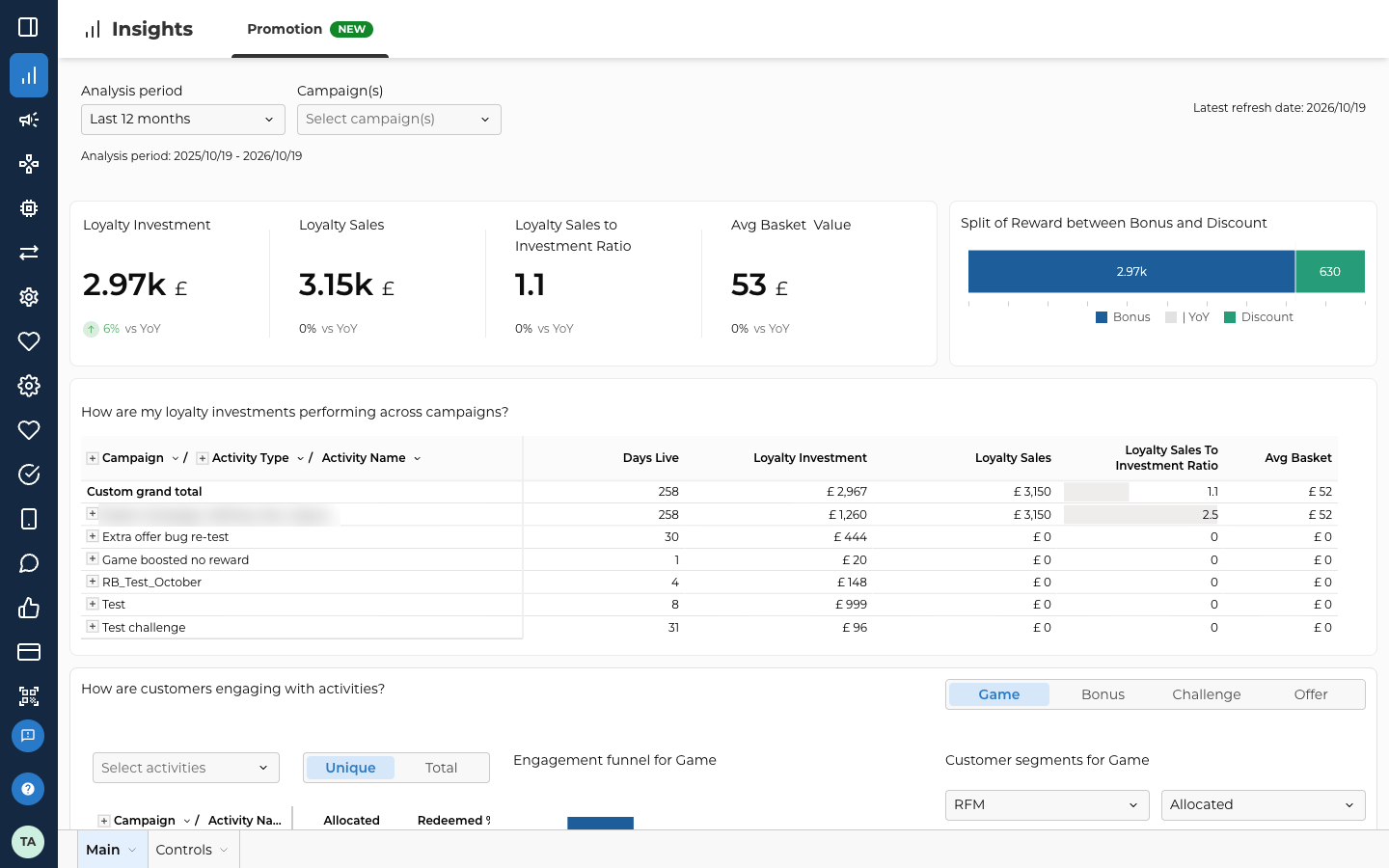
The dashboard has a row of filters and four sections, from top to bottom. The top of the Promotion dashboard on Insights, Promotion. Analysis period is set to Last 12 months, with Analysis period: 2025/10/19 - 2026/10/19 under it, and Campaign(s) shows Select campaign(s). Latest refresh date: 2026/10/19 is in the top right. Below are the four key figures: Loyalty Investment 2.97k with 6% vs YoY, then Loyalty Sales 3.15k, Loyalty Sales to Investment Ratio 1.1 and Avg Basket Value 53, each with 0% vs YoY. Beside them, Split of Reward between Bonus and Discount shows a bar of 2.97k bonus and 630 discount. Under them starts the table How are my loyalty investments performing across campaigns?, with the columns Days Live, Loyalty Investment, Loyalty Sales, Loyalty Sales To Investment Ratio and Avg Basket, and Custom grand total as its first row. One campaign name is blurred. The top of the Promotion dashboard
Filters

The filters at the top apply to the whole dashboard.

Key figures

Each figure shows its change since the same period last year, marked vs YoY. Beside them, Split of Reward between Bonus and Discount shows how much of the reward was bonus and how much was discount.

Investment by campaign

The section titled How are my loyalty investments performing across campaigns? has one row per campaign. Select + beside a campaign to see its activity types. Select + beside a type to see each activity by name. The first row, Custom grand total, adds up all the campaigns in the table.

Engagement with activities

The section titled How are customers engaging with activities? follows customers from getting an activity to using it. Pick the kind of activity in the top right corner: Game, Bonus, Challenge or Offer. Everything in the section changes to match. Each kind of activity has its own funnel steps. Pick a kind to see what each step counts.
For a game, Started and Activated count the same thing, so their bars are always the same.
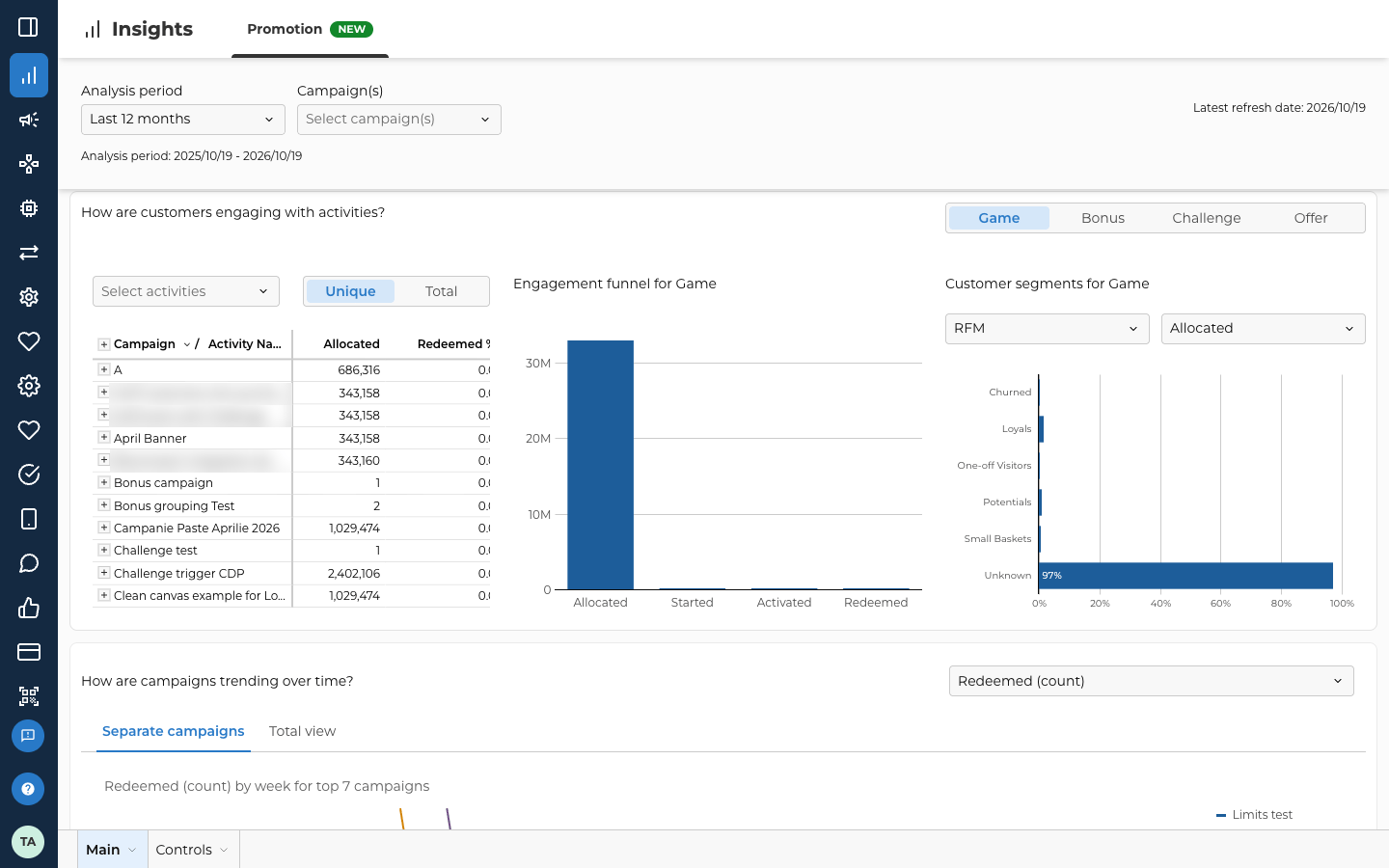
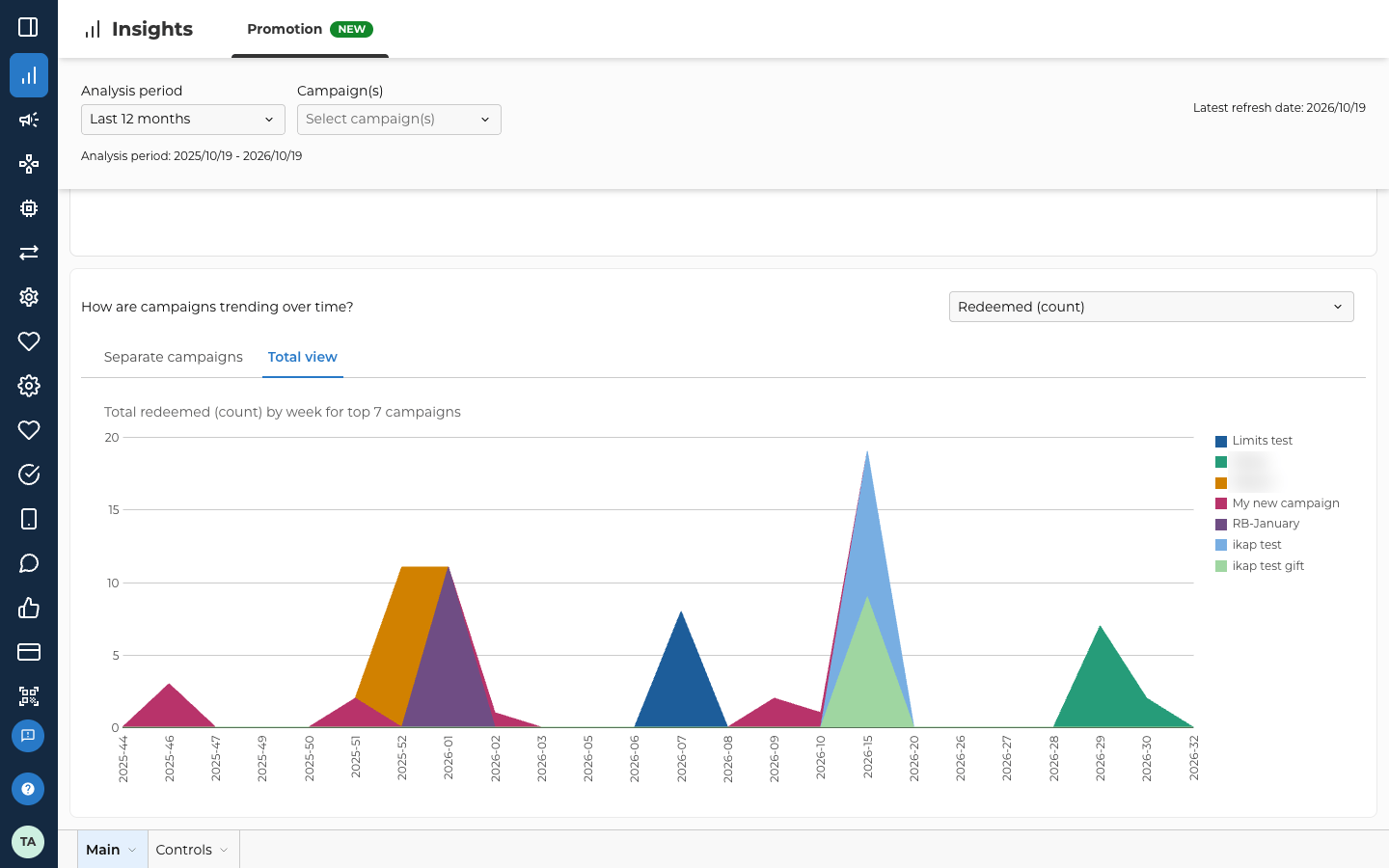
The section How are customers engaging with activities? on the Promotion dashboard, with Game picked in the Game, Bonus, Challenge and Offer switch in the top right. On the left are Select activities, the Unique and Total switch set to Unique, and a table of campaigns and their activities with the columns Allocated and Redeemed %. In the middle, Engagement funnel for Game has bars for Allocated, Started, Activated and Redeemed. On the right, Customer segments for Game is grouped by RFM and set to Allocated, with bars for Churned, Loyals, One-off Visitors, Potentials, Small Baskets and Unknown, with the Unknown bar at 97%. The Redeemed % column is cut off on the right of the table, so its values don't show. Three campaign names in the table are blurred. Engagement with activities, for games The section titled How are campaigns trending over time? plots a figure week by week. Pick the figure in the dropdown on the right, such as Redeemed (count). The section How are campaigns trending over time? on the Promotion dashboard. The dropdown on the right is set to Redeemed (count), and the Total view tab is picked beside Separate campaigns. The stacked area chart Total redeemed (count) by week for top 7 campaigns runs from week 2025-44 to week 2026-32, with each of the 7 campaigns in its own colour and a key on the right. Two campaign names in the key are blurred. Trends over time, in Total view
Last modified on October 21, 2026