

At a glance
A loyalty customer is a customer who’s enrolled in your loyalty programme.Reading a card
Each card has the same parts.
When Lobyco doesn’t get the data a card needs, the card shows No Data Available instead of a number and a chart.
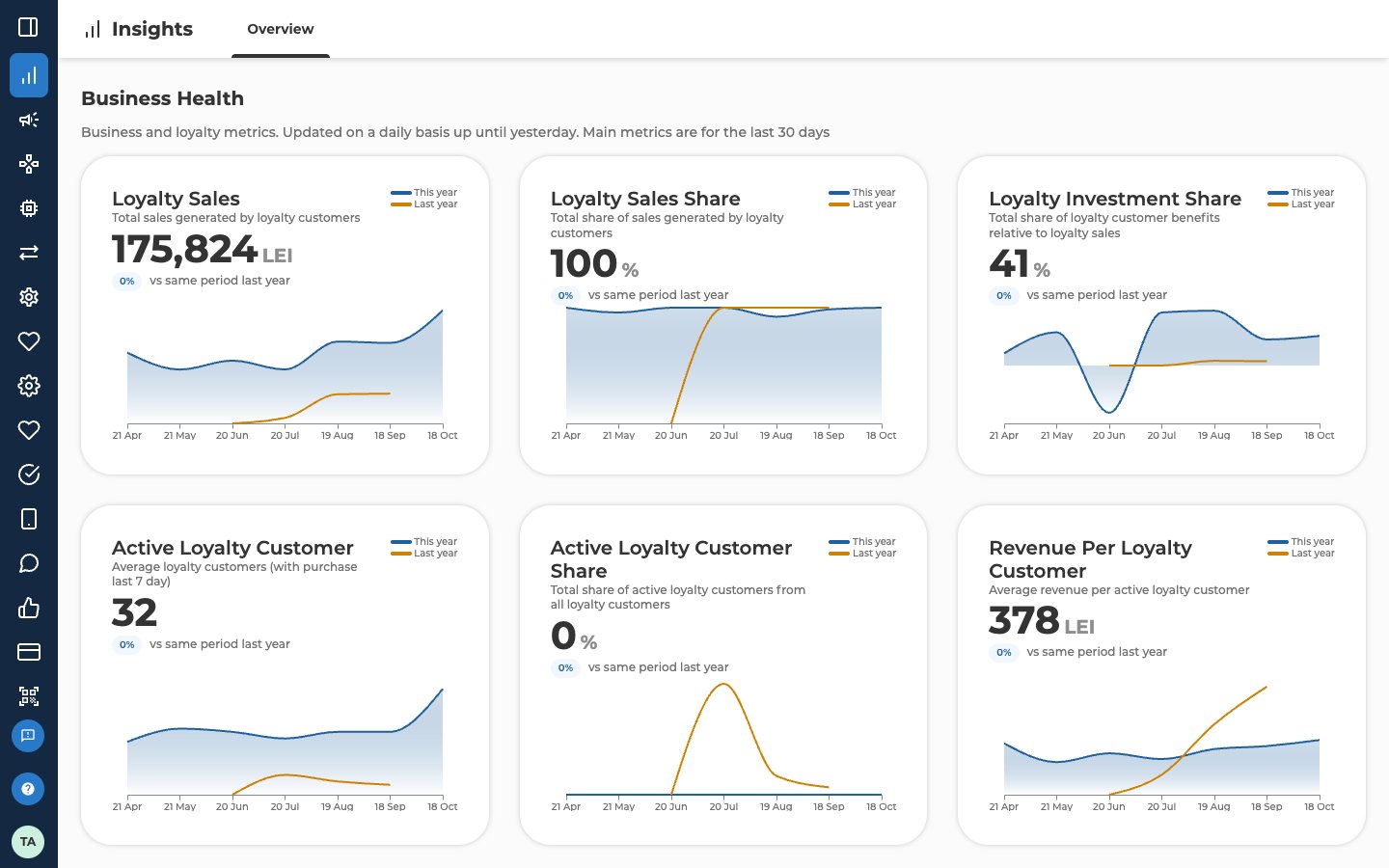
Loyalty Sales
The screen describes it as Total sales generated by loyalty customers. It’s what loyalty customers paid for their purchases in the last 30 days. It counts the whole basket, not only the part with a discount or reward. Discounts are already taken off. Bonus a customer spends on a purchase counts as part of the sale. Bonus they earn on it doesn’t. Purchases by anonymous shoppers don’t count.Loyalty Sales Share
The screen describes it as Total share of sales generated by loyalty customers. It’s Loyalty Sales as a percentage of all the sales in your stores over the last 30 days. A higher share means more of your revenue comes from loyalty customers. Lobyco can only work it out when it gets your sales to anonymous shoppers too. If Lobyco doesn’t get them, the card shows No Data Available.Loyalty Investment Share
The screen describes it as Total share of loyalty customer benefits relative to loyalty sales. It’s how much of Loyalty Sales went back to loyalty customers as benefits, as a percentage. The benefits are the discounts only loyalty customers get, such as personal offers and app offers, plus the bonus they earned in the last 30 days. Marketing and running costs aren’t included. Use it to keep an eye on what your programme costs.- If the share rises, your rewards and discounts are getting more expensive. A bigger part of each loyalty sale goes back to customers.
- If the share falls, your programme may not be attractive enough to keep customers engaged.
Active Loyalty Customer
The screen describes it as Average loyalty customers (with purchase last 7 day). A loyalty customer counts as active on a given day if they bought something in the 7 days before it. The card shows the average of those daily counts over the last 30 days. It isn’t the number of different customers who bought something in those 30 days.Active Loyalty Customer Share
The screen describes it as Total share of active loyalty customers from all loyalty customers. It’s the active loyalty customers as a percentage of all your loyalty customers, over the last 30 days. It shows how engaged customers are inside your programme. It doesn’t compare loyalty customers with everyone who shops in your stores.Revenue Per Loyalty Customer
The screen describes it as Average revenue per active loyalty customer. It’s what an active loyalty customer spends on average in the last 30 days. Lobyco works it out as the average basket value times how often they buy. It covers active loyalty customers only, not all your loyalty customers.Activity Centre
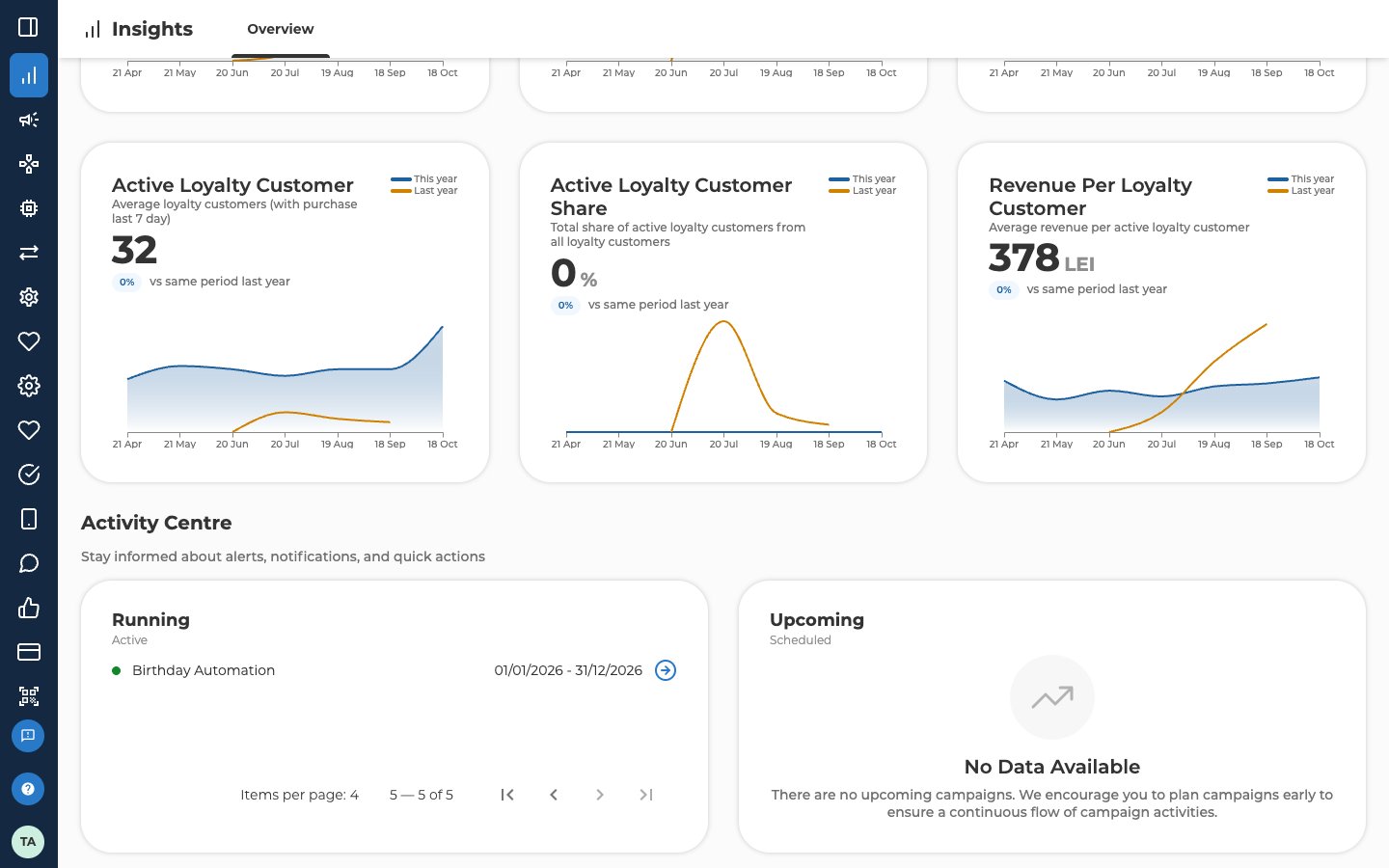
The Activity Centre under the cards lists your campaigns in two columns.
Draft and expired campaigns don’t appear here.
Each row shows a campaign’s name and its start and end dates. Select the arrow at the end of a row to open that campaign. Each column shows 4 campaigns at a time, with page controls under it when there are more. When nothing is scheduled, Upcoming shows No Data Available.
Related
- Promotion insights — what your loyalty investment brought in for each campaign, and how customers engaged with its activities.
- Ask AI Genie — ask your own questions about the same loyalty data, in plain language.
- Find and manage campaigns — the full campaign list, including drafts and expired campaigns.