

At a glance
A triggered communication is one whose block is connected after another block on the canvas. Recipients explains the difference.
Draft
A draft isn’t published, so customers don’t see it.- Save keeps it as a draft.
- Publish asks you to confirm. If the start date is still to come, the communication becomes Scheduled, and active on that date. Otherwise it becomes Active straight away.
- Delete is only offered while it’s a draft.
- You can only connect or disconnect its block on the canvas while it’s a draft. See Connect the blocks.
Scheduled
A scheduled communication is published, but its start date hasn’t come yet. For a push, the start is its Delivery date. Customers don’t see it yet.- You can still change everything.
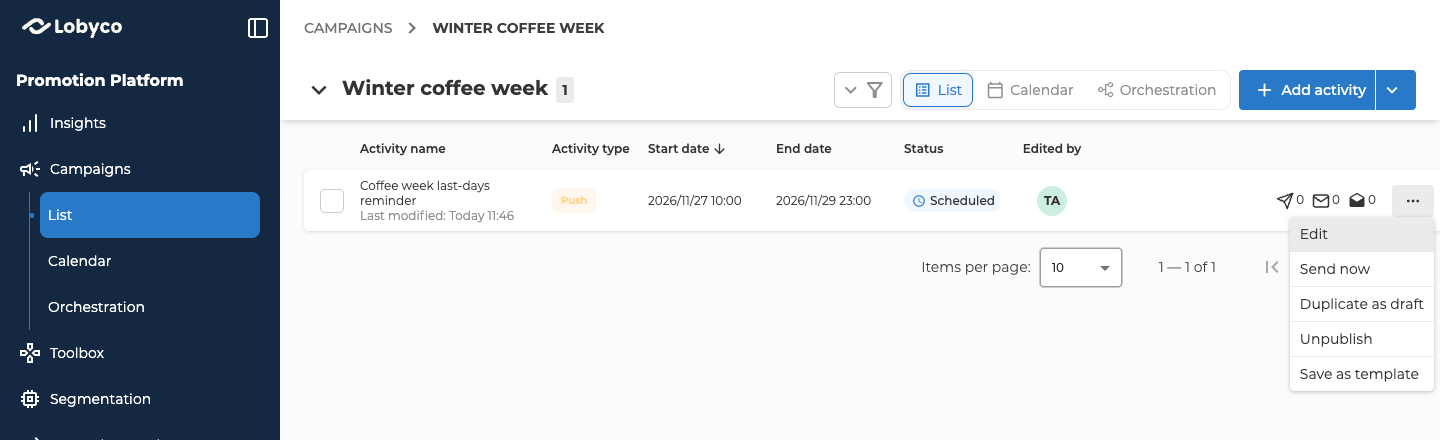
- Unpublish in its form takes it back to Draft. On its row in the campaign’s List view, the menu calls this Unpublish for a push or feed, and Disable for an email, banner or prompt.
- The row menu can also skip the wait. Send now sends a push straight away. Publish now makes a banner or feed active straight away. An email or prompt doesn’t offer this.
Active
An active communication is published, and today falls between its start and end dates. What it does, and what you can still change, depends on the communication and on whether it’s triggered.
When you save changes to an active push, banner, feed or prompt, the portal asks you to confirm, because customers see the changes straight away.
Unpublishing asks you to confirm first. It takes the communication back to Draft, and no new customers get it. A banner, feed or prompt stops being shown. Customers who already got a push or email keep it.
Expired
An expired communication’s end date has passed. For a push, the end is its Expiration date.- Nothing more goes out, and banners, feeds and prompts are no longer shown. A flow that reaches a triggered one skips it.
- Its form is read-only. On its row in the campaign’s List view, the menu offers View instead of Edit.
- Duplicate as draft makes a new draft copy that you can change and publish. Save as template is still there too.
Change the dates on the canvas
Each communication’s block on the Orchestration canvas shows its status and its Start and End dates, plus the Validity period of a triggered banner, feed or prompt once you’ve set one. While the communication is a draft or scheduled, you can change these right on the block. An email’s dates only change on the block while it’s a draft. A change you make on a block is saved straight away.Related
- Recipients — picking customers, and how a triggered communication behaves.
- Find and manage campaigns — how a status is worked out from the dates, and filtering activities by status.
- Orchestration canvas — connecting communication blocks, and when changes are saved.
- Communication — how to create each communication, step by step.