

Lobyco provides the gameplay flow for this, with its four pages already set up. You change the question and its answer.
How the flow works
The flow has four pages, on the Flow pages tab of the Game Navigator. Edit a gameplay in the Gameplay Editor explains the Game Navigator.
A winner who answers wrongly doesn’t get the prize. The gameplay turns their win into a loss, in the same way as a wrong answer in a quiz. What the type decides, and what it doesn’t explains how.
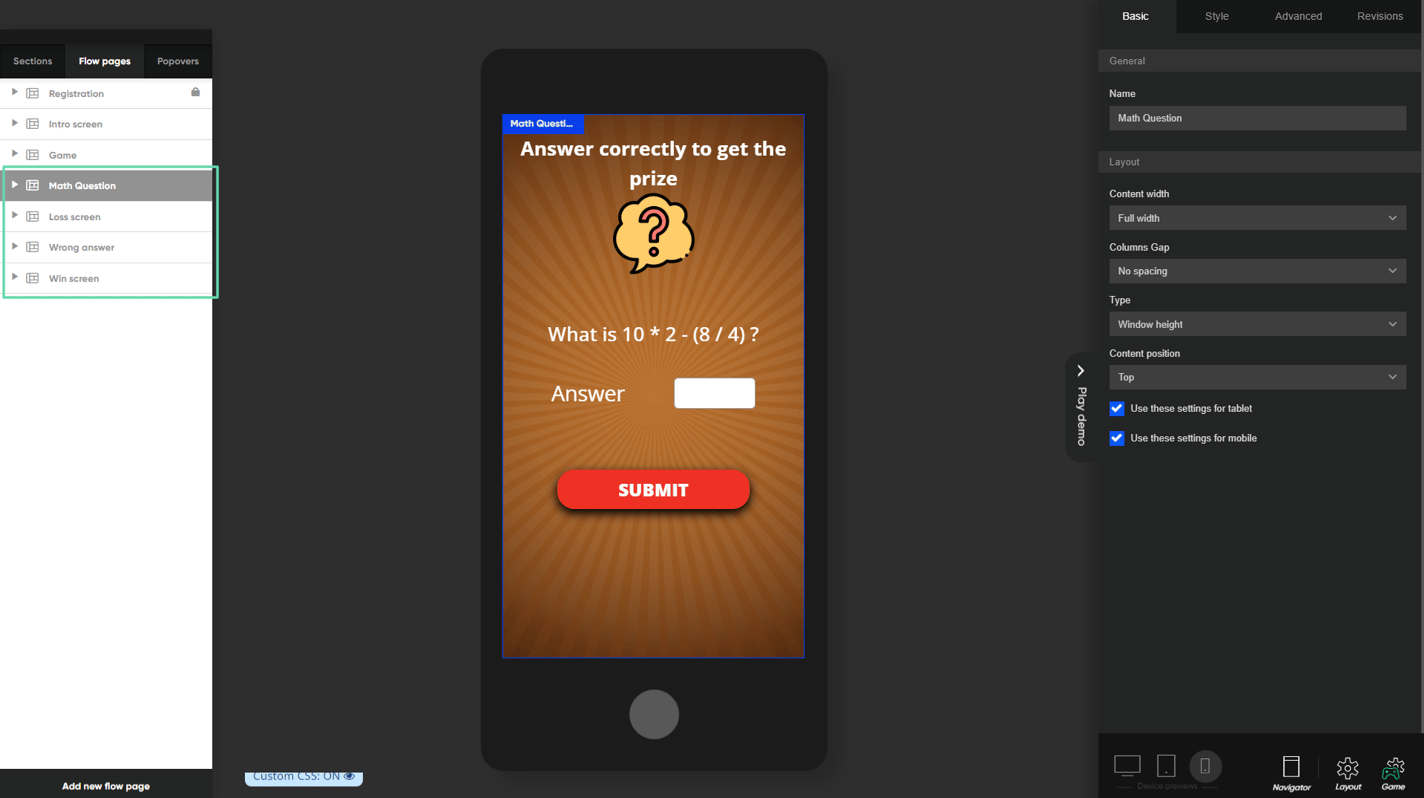
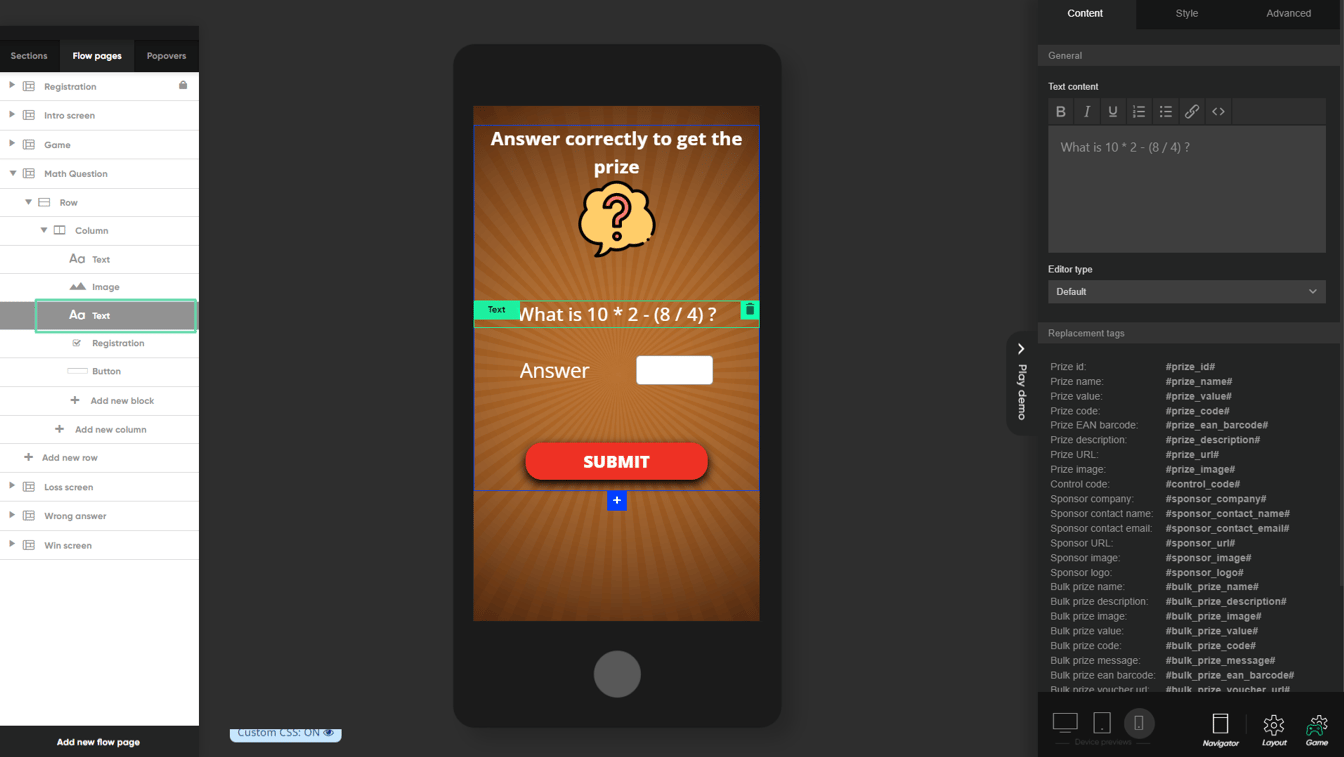
Set the question
- On the Flow pages tab, open the Math Question page.
- Select the text block that holds the question.
- On the Content tab of the Game menu, type your question in Text content.
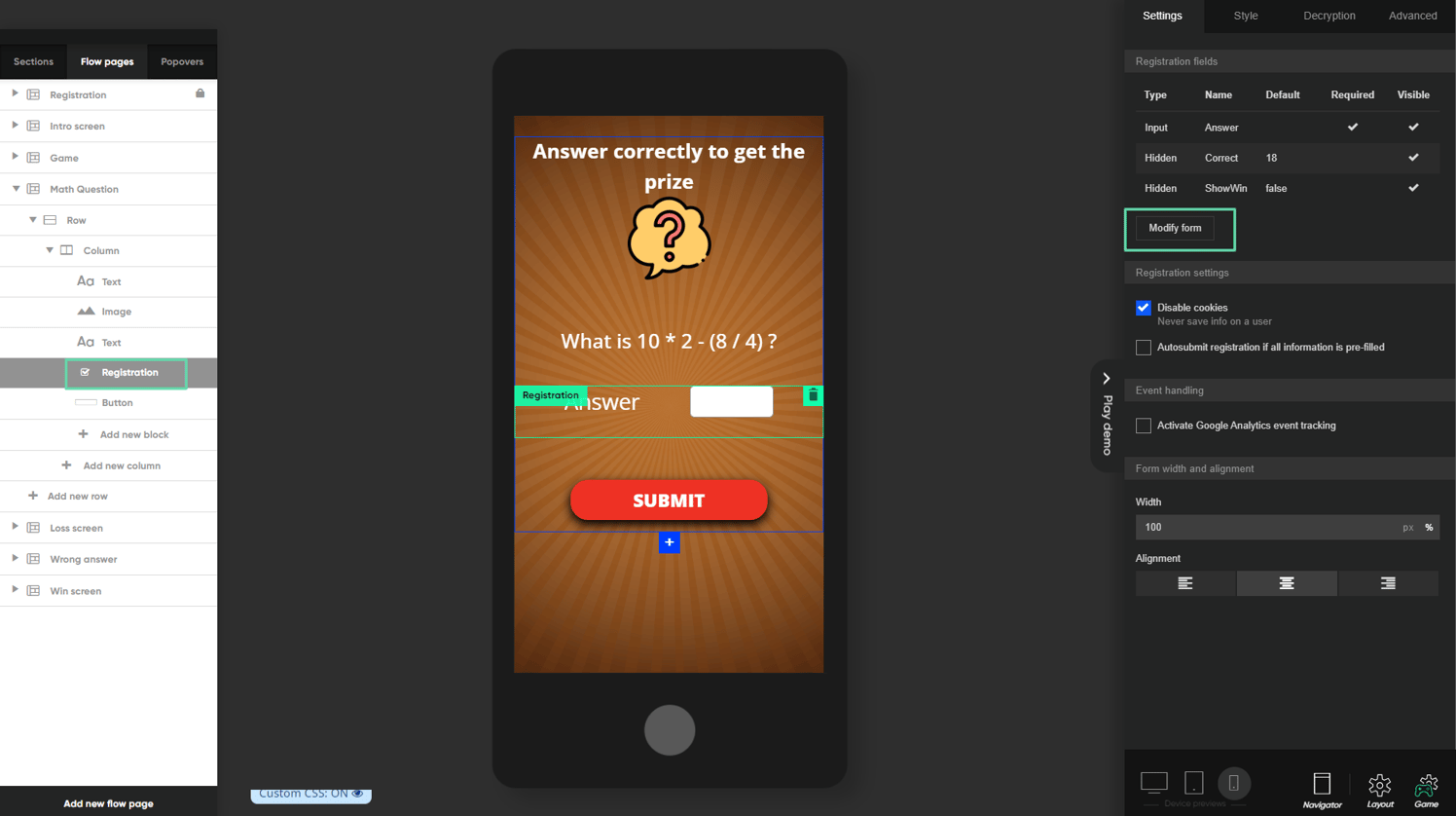
Set the answer
The answer is set in the Registration block on the Math Question page, the block with the Answer box. It’s not the locked Registration page at the top of Flow pages.- Select the Registration block.
- On its Settings tab, select Modify form.
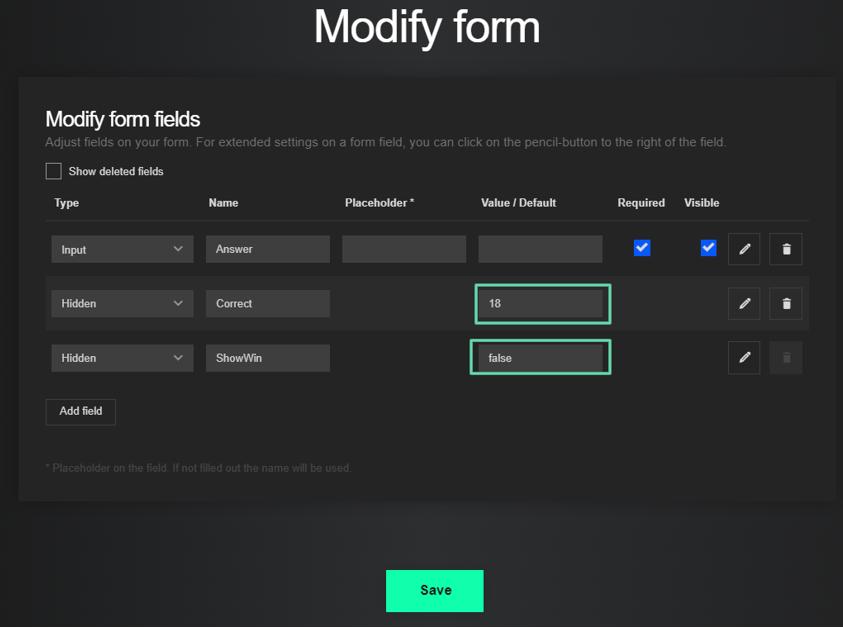
- In the Correct row, enter the right answer in Value / Default, such as 18. Leave Answer and ShowWin as they are.
- Select Save.
Refresh the gameplay
Go back to Gameplay design and select Refresh, so customers see your changes straight away. Design a game explains how. To check it worked, play the game in the app as a test customer until you win. Answer correctly once and wrongly once, and see the Win screen and the Wrong answer page. Test before customers play explains how to limit a game to test customers.Related
- Edit a gameplay in the Gameplay Editor — find your way around the editor’s pages and menus.
- Game types — what a gameplay decides about winning, and what it doesn’t.
- Design a game — refresh the gameplay so customers see your changes.
- Create a game — set the win rate and rewards of the game in its campaign.