

At a glance
Shared
A shared offer or challenge belongs to the household. Set Applies to to Household. Shared benefits cover offers, gifts included, and challenges. There’s no switch that makes everything shared. You choose for each offer and each challenge. A shared offer can’t give a bonus, so you can’t use Household with Base Bonus, Voucher - Standard or Voucher - Triggered. Switching an offer to one of those types sets Applies to back to Member. Offer types explains each type. Purchases by everyone in the household count towards one challenge card. Anyone in the household can use a shared coupon, and once one person redeems it, it’s used up for everyone. When a purchase that used a shared coupon is returned, the coupon comes back to the household. Returns and refunds explains when. When a shared challenge is completed, the household’s card closes. The household gets the reward once. For a challenge that repeats, a new shared card starts at zero. Customers who are alone in their household get shared benefits too. To reach only households with two or more people, see Households of one.Individual
An individual offer or challenge belongs to one customer, as offers and challenges always have. Set Applies to to Member. Only that customer’s own purchases count, and only they can use the benefit. It stays with them when they join, leave or move households. Offers and challenges created before households were switched on are individual.Set Applies to
Applies to is in the Details section of the offer form. On a challenge, it’s in Settings, in the Activity behaviour panel, under Challenge type. Create an offer and Create a challenge walk through the rest of each form.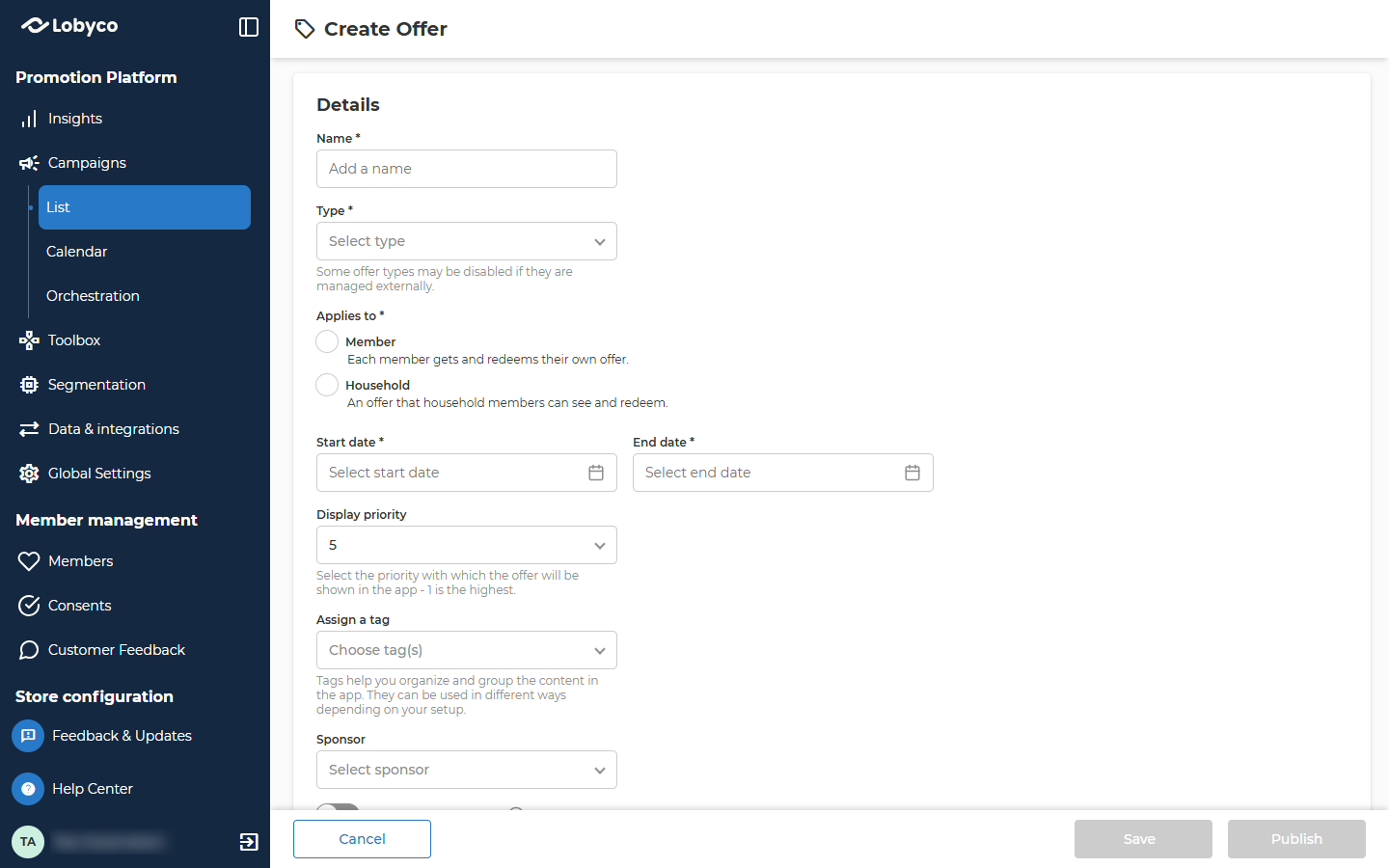
You can’t change Applies to on a published offer or challenge. To change it, you unpublish the activity first. Lobyco recommends you don’t: once an activity has been published as Member or Household, keep it that way, so customers get what they were shown.
Rewards on challenges
A challenge’s reward has to match who the challenge is for.
An individual challenge with a shared reward means one customer completes the challenge, and the whole household gets the coupon. Anyone in the household can redeem it, once.
A shared challenge can’t give a bonus reward.
Reach households with a shared activity
Shared activities can’t reach customers every way individual ones can.
To target a shared activity at a segment, do it in two steps:
- In a flow, send the Member segment block’s result to an audience. Fill an audience from a campaign shows how.
- Target the shared activity at that audience. Use the audience in an activity shows how.
Households of one
Customers who are alone in their household get shared benefits too. To reach only households with two or more people, add the rule Household number of members Greater or equal 2 to the segment.Choose shared or individual
Ask whether the benefit is something the household earns together, or something personal. Shared suits:- a goal the household works towards together, such as “Spend 500 on your garden project, get 50 off”
- something the family buys again and again anyway, such as “Buy 5 bags of potting mix, the 6th is free”
- a reward for the household as a whole
- personal moments, such as a birthday or welcome offer
- offers based on one customer’s own basket
- anything you send straight from a flow, or in bulk
Related
- Households — what a household is, who can do what, and what happens when people join or leave.
- Segment by household spend — find customers by what their whole household bought.
- Create an offer — the rest of the offer form.
- Create a challenge — the rest of the challenge form, rewards included.
- Create an audience — make the audience a shared activity targets.