

Before you start
- Send Lobyco your Azure tenant id. Lobyco whitelists it and sends back the portal address and the name of the portal’s Azure AD app, for pre-production and for production. The addresses take the form
https://admin.your-environment.lobyco.net/; the exact values differ per client and per environment. - You must be a Global Administrator, an Application Administrator or a Cloud Application Administrator in your tenant. Consent for the whole directory is an admin action.
- Decide which admin users get which roles. The roles, and the portal sections they open, are on Admin portal roles.
The procedure
1
Open the portal and sign in
Open the admin portal address for the environment and sign in with your organisation account.2
Accept the requested permissions
Azure AD asks you to accept the permissions the portal app requests: signing you in and reading your profile. Choose Accept.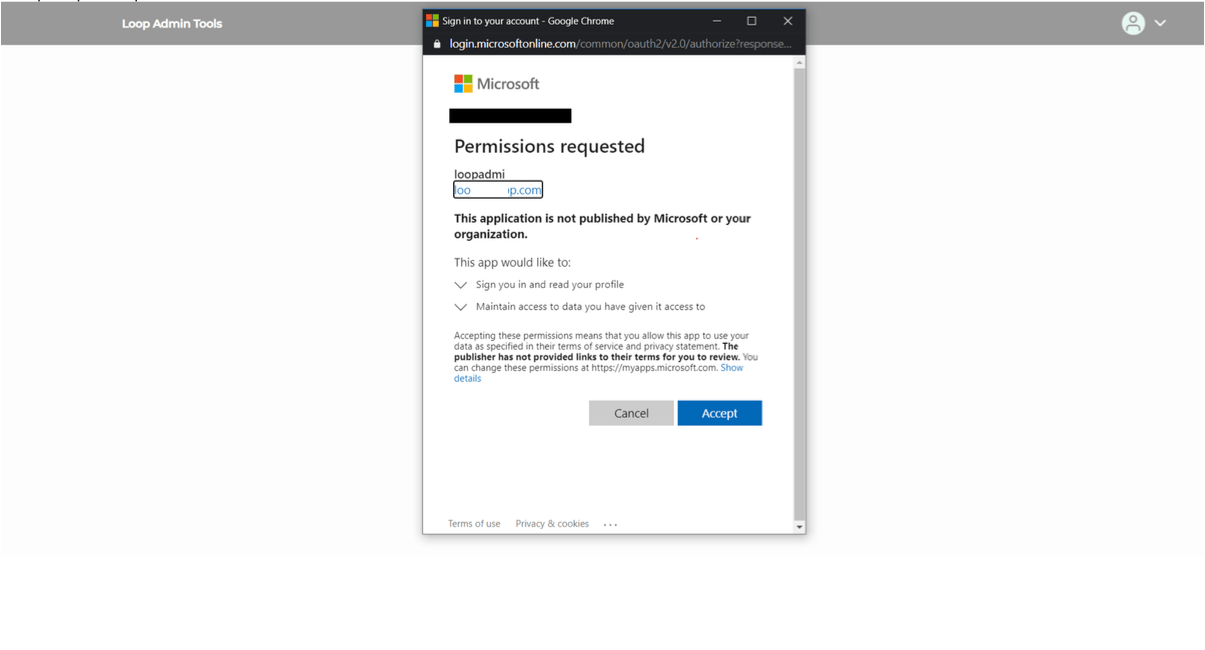
3
Find the portal app among the enterprise applications
In the Azure portal, open Azure Active Directory → Enterprise applications and search for the app name Lobyco gave you for this environment. The first sign-in created it in your tenant.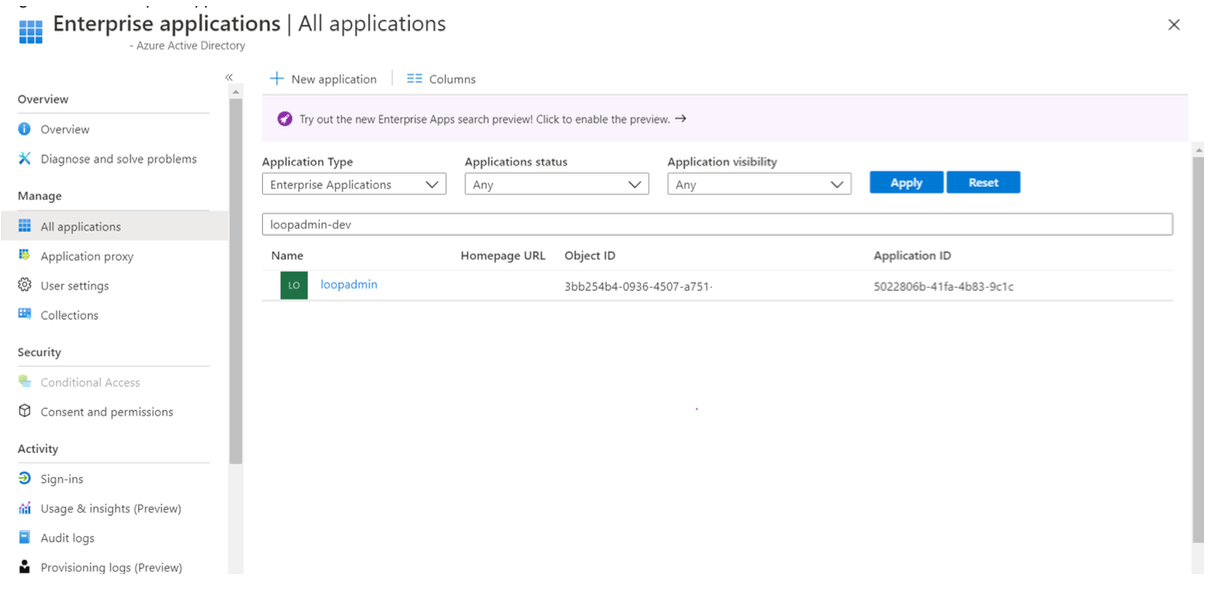
4
Grant consent for the whole directory
Open the app and go to Permissions. Choose Grant admin consent for your directory. After that, admin users are not asked to consent one by one when they sign in.5
Assign users and groups to roles
Go to Users and groups and choose Add user/group. Select the Azure AD users or security groups, and assign each a role. A user or a group can hold several roles. The roles are listed on Admin portal roles;game.admin, for example, opens the Game section.6
Verify access
Open the admin portal again, in a new tab. The left panel now shows the sections your roles open.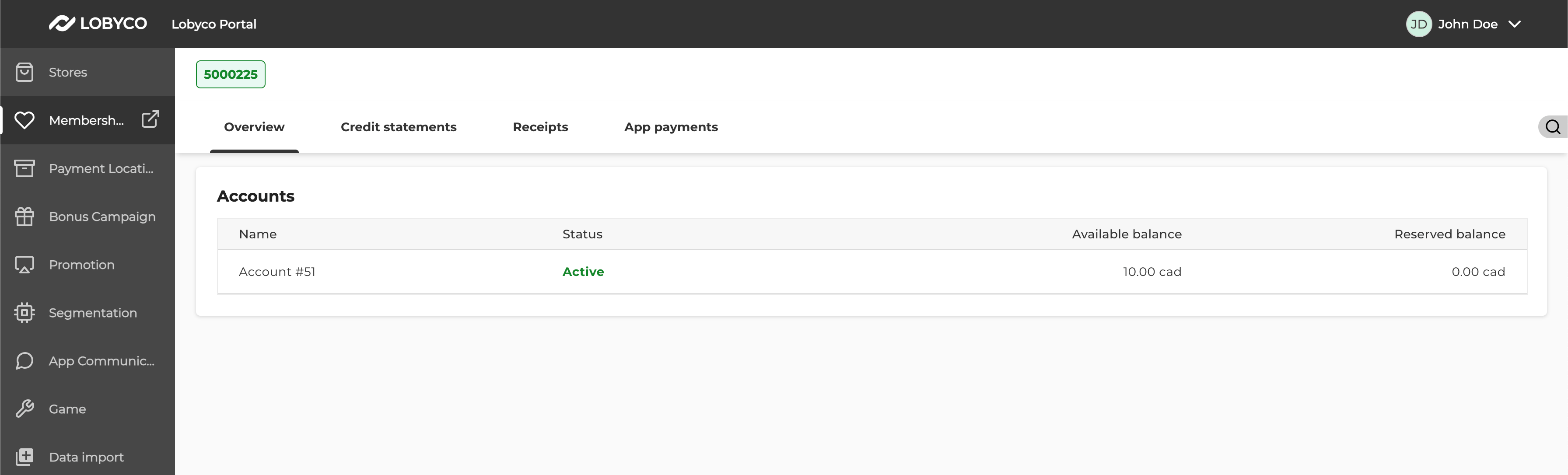
Failure and edge cases
If the portal does not show what you expect, the cause is usually one of these.Why is a section missing from the left panel?
Why is a section missing from the left panel?
The admin user lacks the role for it, or signed in before the role was assigned. Assign the role, then sign out and in again; the roles are read from the token at sign-in.
Why do the roles differ between pre-production and production?
Why do the roles differ between pre-production and production?
The two environments are separate enterprise applications, with separate assignments. Repeat the assignment in each.
How do I limit a role to some chains or stores?
How do I limit a role to some chains or stores?
Roles open sections; they do not limit data to a chain or a store. For that, see Admin portal chain and store level access.
Related
- Admin portal roles — every role and the section it opens.
- Admin portal chain and store level access — limiting an admin user to specific chains or stores.
- Multi-tenant authentication using client credentials flow — the matching setup for services instead of people.