

Before you start
- The portal’s enterprise application must exist in your tenant, and roles must work. See Access to Lobyco Admin Portal.
- The chain and store ids must be the ones imported into Lobyco’s store master data. A claim with an id Lobyco does not know matches nothing. See Importing store and chain data.
- You must be able to register apps and grant admin consent in your tenant. The last steps run in Postman.
The procedure
The setup has three parts. An extension app owns the custom attributes, the portal’s enterprise application maps them to claims, and each Azure AD user carries the values.1
Register the extension app
In Microsoft Entra ID, open App registrations and choose New registration.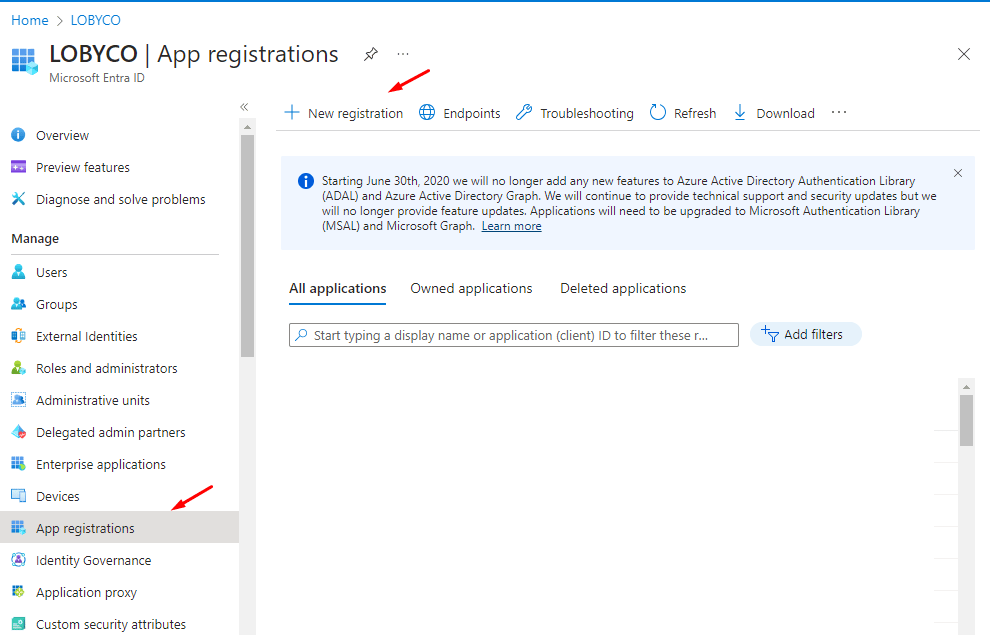
- Name:
lobycoportal-extensions, with the environment name appended, so the app is easy to find later. - Supported account types: Accounts in this organizational directory only.
2
Add a client secret
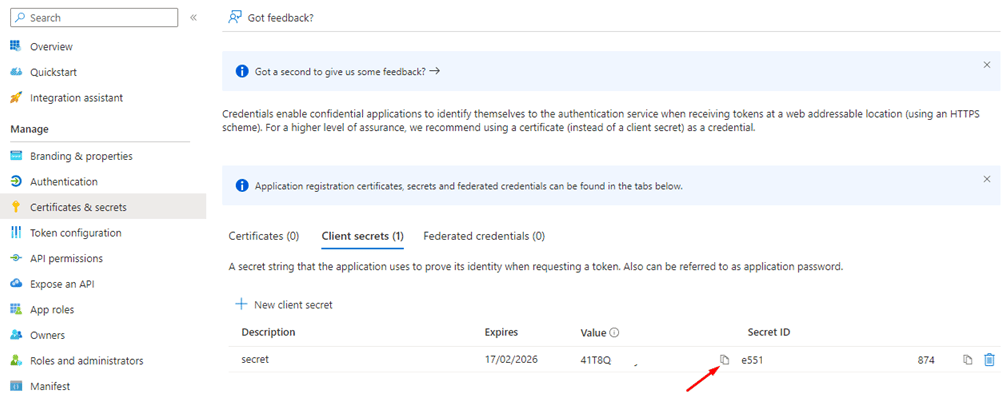
Under Certificates & secrets, choose New client secret. The description and the expiry are your choice.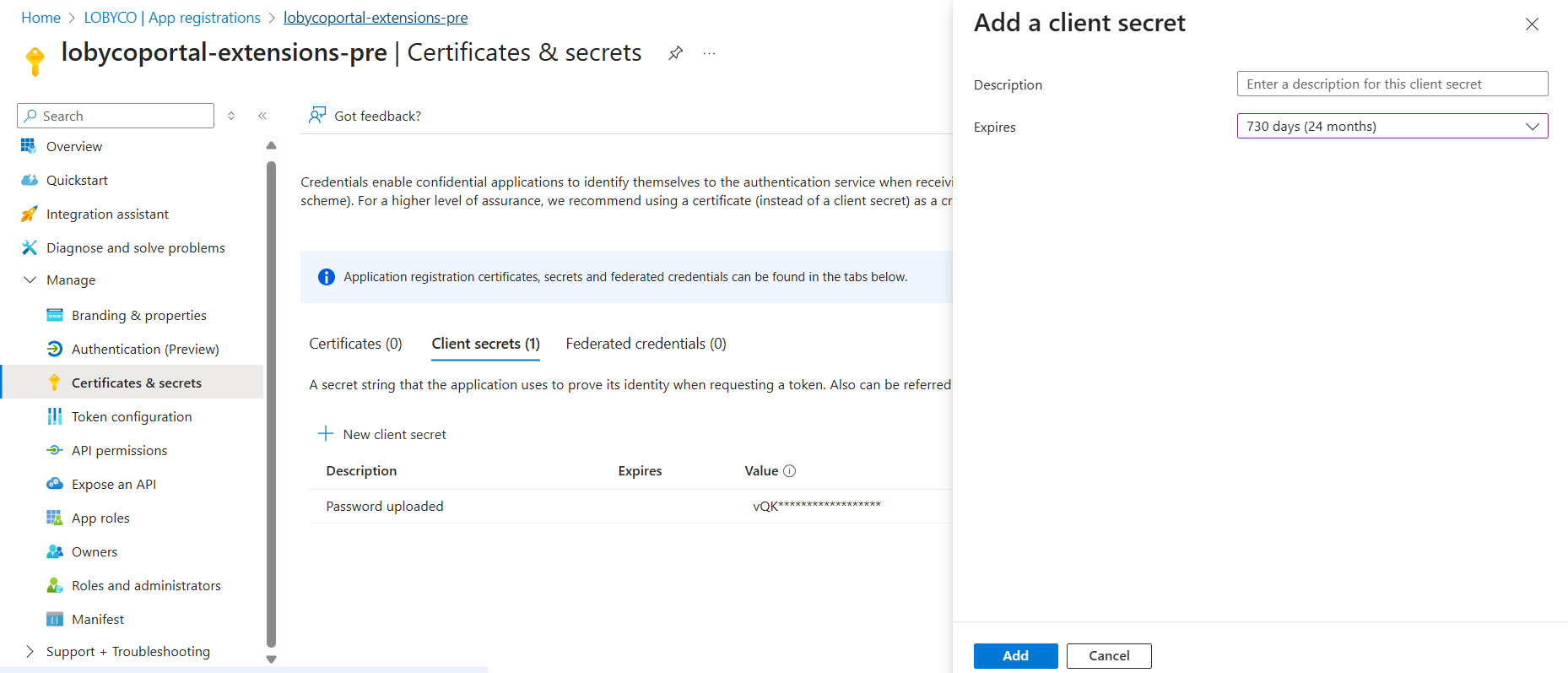
3
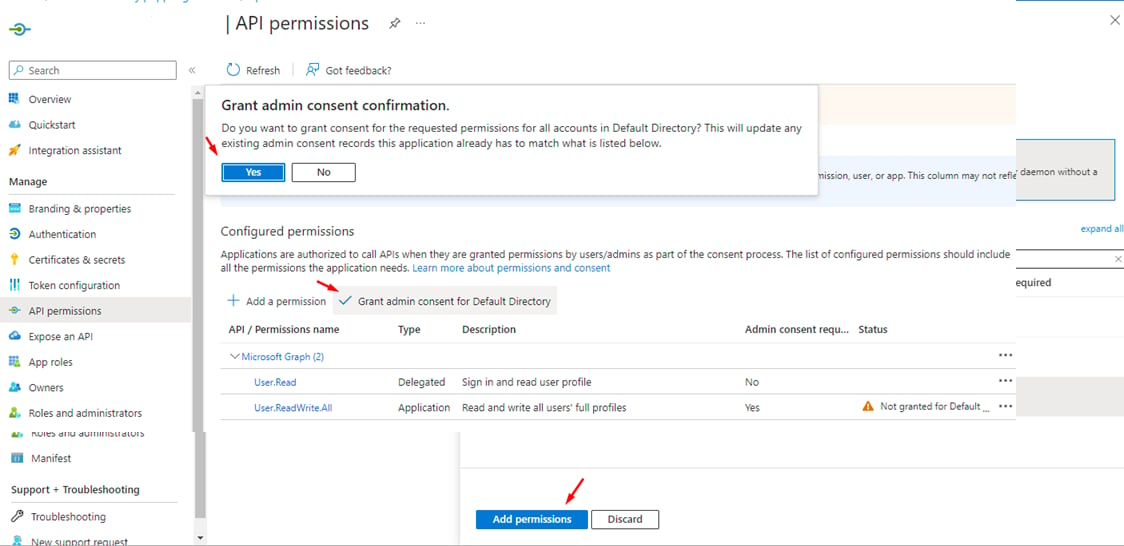
Grant the permission to write user profiles
Under API permissions, choose Add a permission, then Microsoft Graph, then Application permissions. Search forUser.ReadWrite.All, tick it and choose Add permissions. The extension app writes the chain and store ids to user profiles with this permission.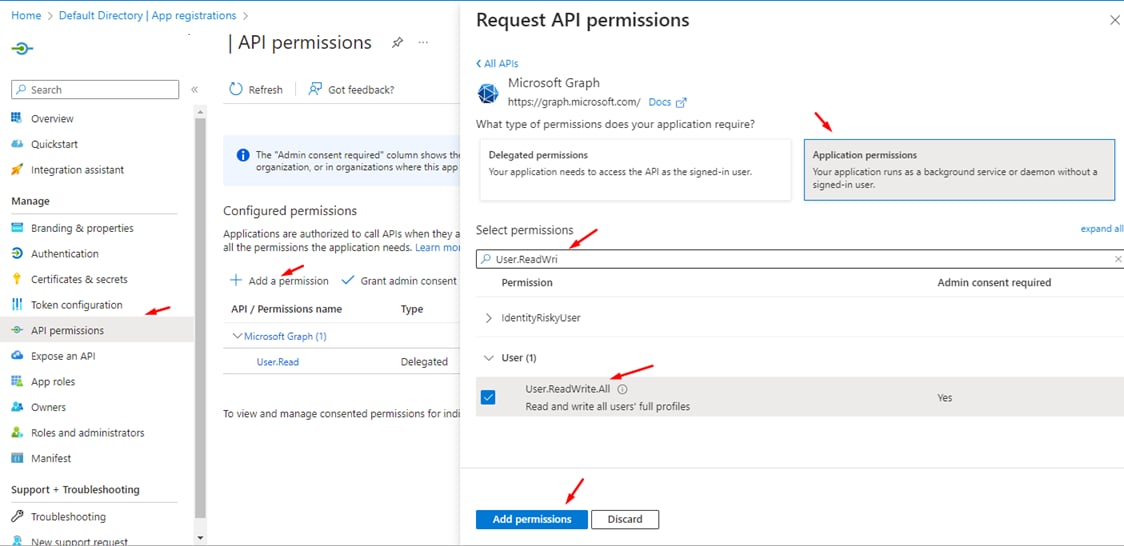
4
Edit the manifest
Open Manifest. SetacceptMappedClaims to true and accessTokenAcceptedVersion to 2, and save.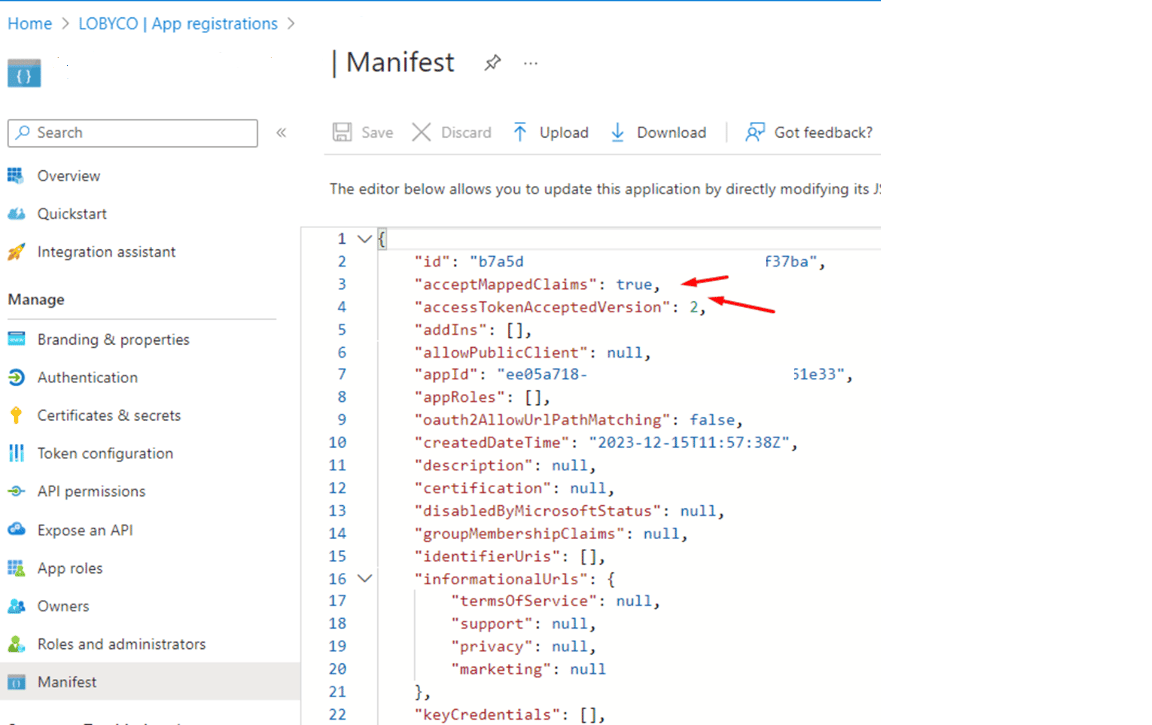
5
Create the extension properties
Add two extension properties to the extension app,chain_ids and store_ids. This is a Microsoft Graph call, and it takes a token with rights on the application object. The quickest way to get one is from the Azure portal’s own session. Open Users in Microsoft Entra ID with the browser’s developer tools on the Network tab, and choose Refresh. Copy the bearer token from the Authorization header of the $batch request.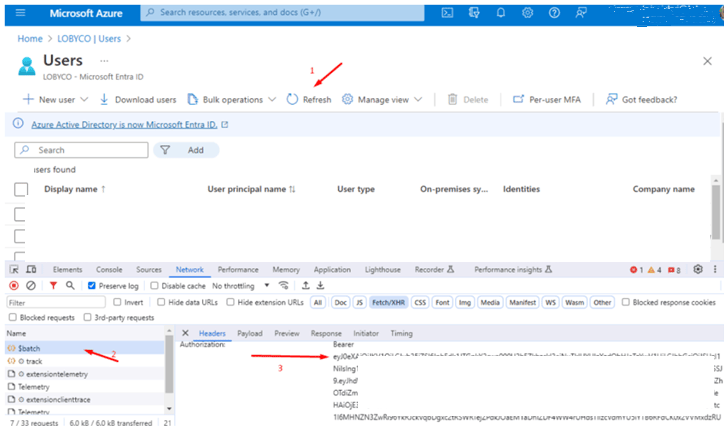
"name": "chain_ids". The object id is on the extension app’s Overview page; it is not the application (client) id.6
Map the claims on the portal’s enterprise application
Open Enterprise applications and find the portal’s service principal: the app Lobyco named for this environment. Go to Single sign-on.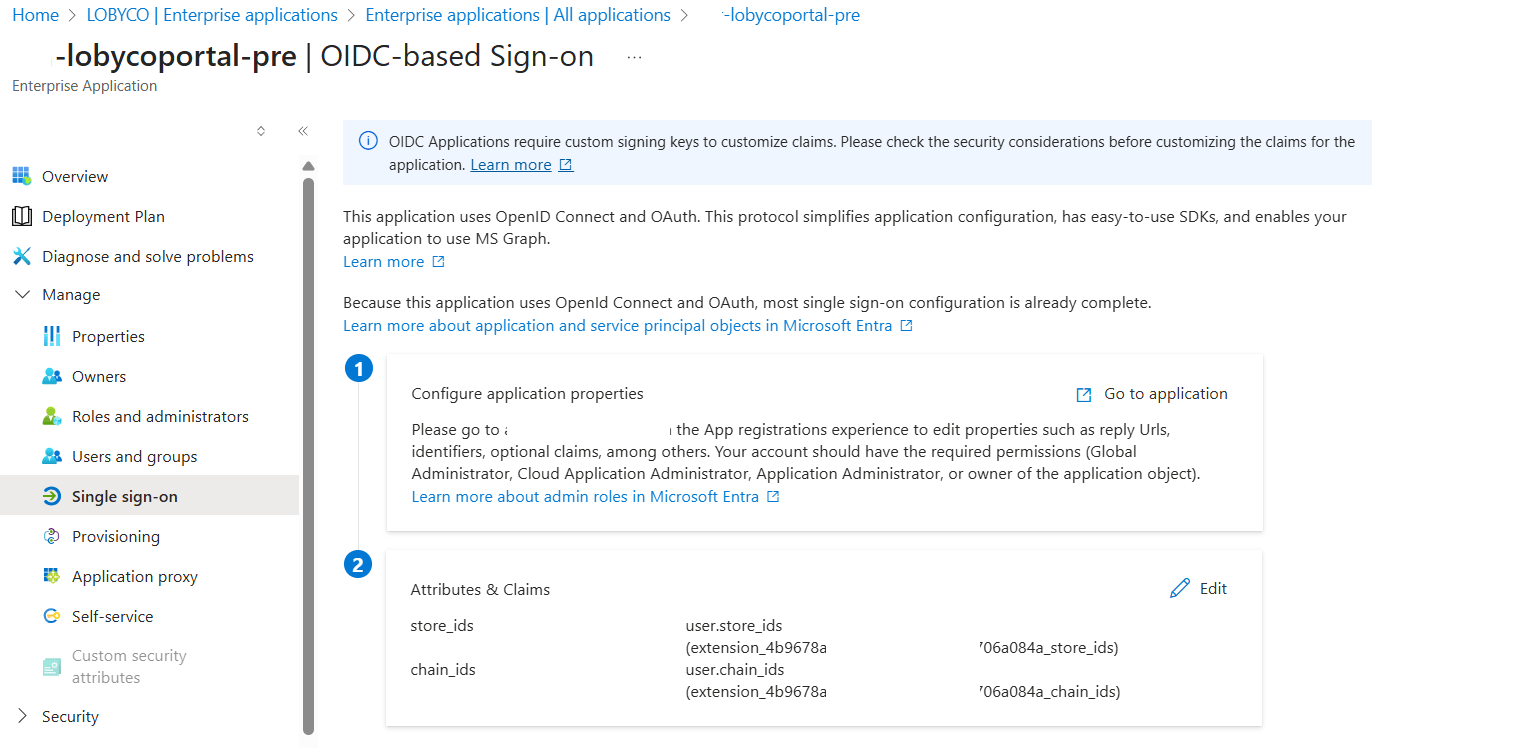
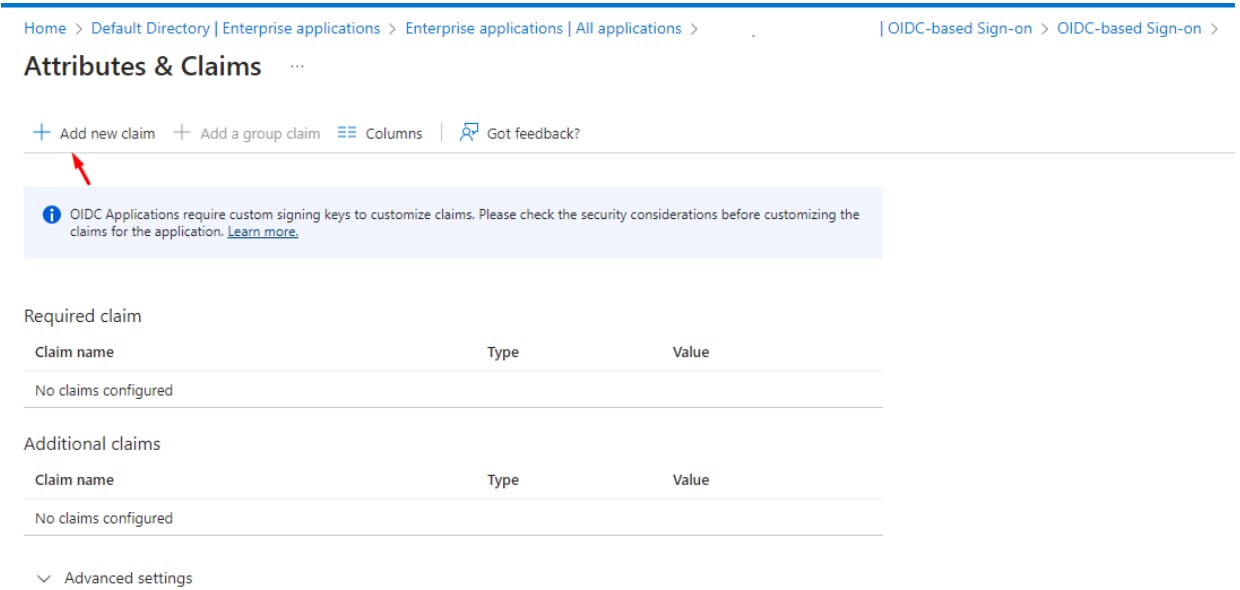
store_ids, set Source to Attribute, and under Schema extension attribute pick the extension app and its store_ids property. Save, and repeat for chain_ids.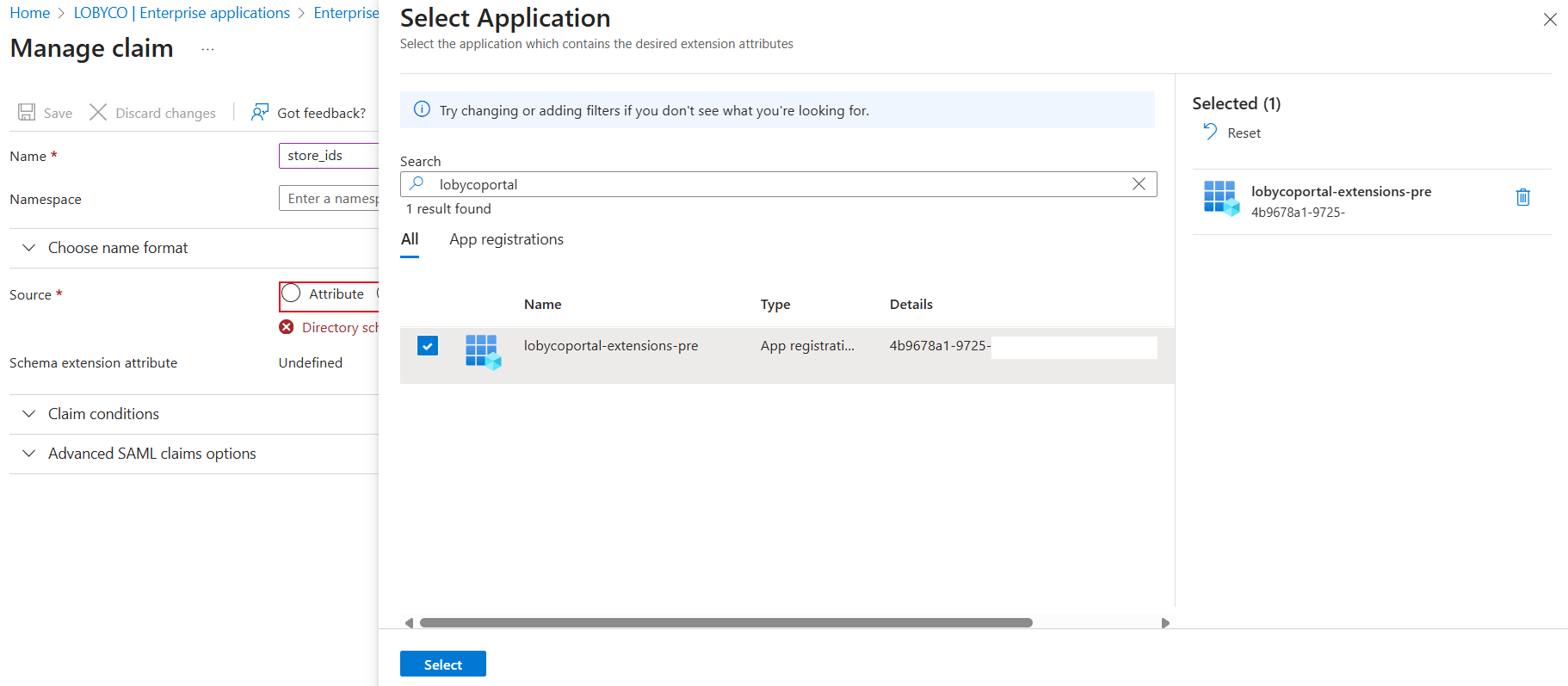
chain_ids and store_ids are listed and saved.7
Find the user’s object id
Open Microsoft Entra ID → All users, search for the admin user by email and open the profile. Copy Object ID. The Postman requests address the user by it.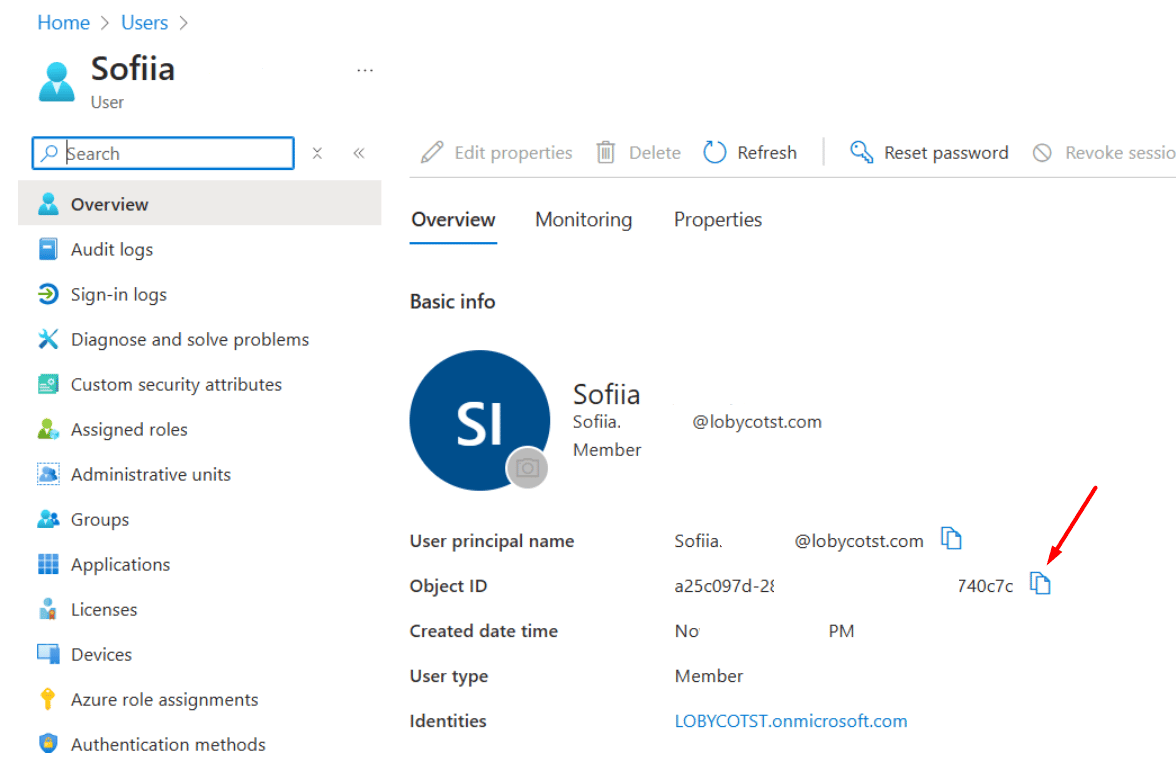
8
Import the Postman collection
Copy the JSON from Postman collection into a.json file and import it in Postman. On the collection’s Variables tab, fill in the values and choose Save:9
Assign the ids to the user
Run the collection’s requests in order.- Step 1. Get extension app token fetches a token with the extension app’s credentials and stores it in the collection. The next two requests use it.
- Step 2. Get user attributes reads the user and the two extension properties, so you see the current values.
- Step 3. Assign custom claim to the user sends a
PATCHwith the ids. Edit the body before you send it.
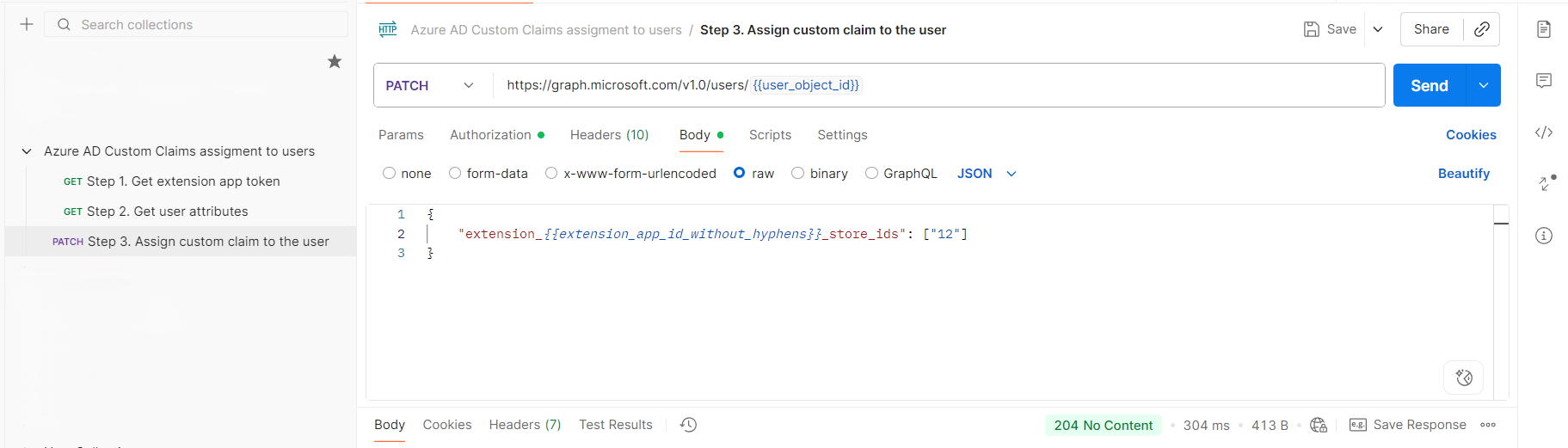
10
Check the claims on the user
Run Step 2. Get user attributes again. The response now lists the ids you assigned.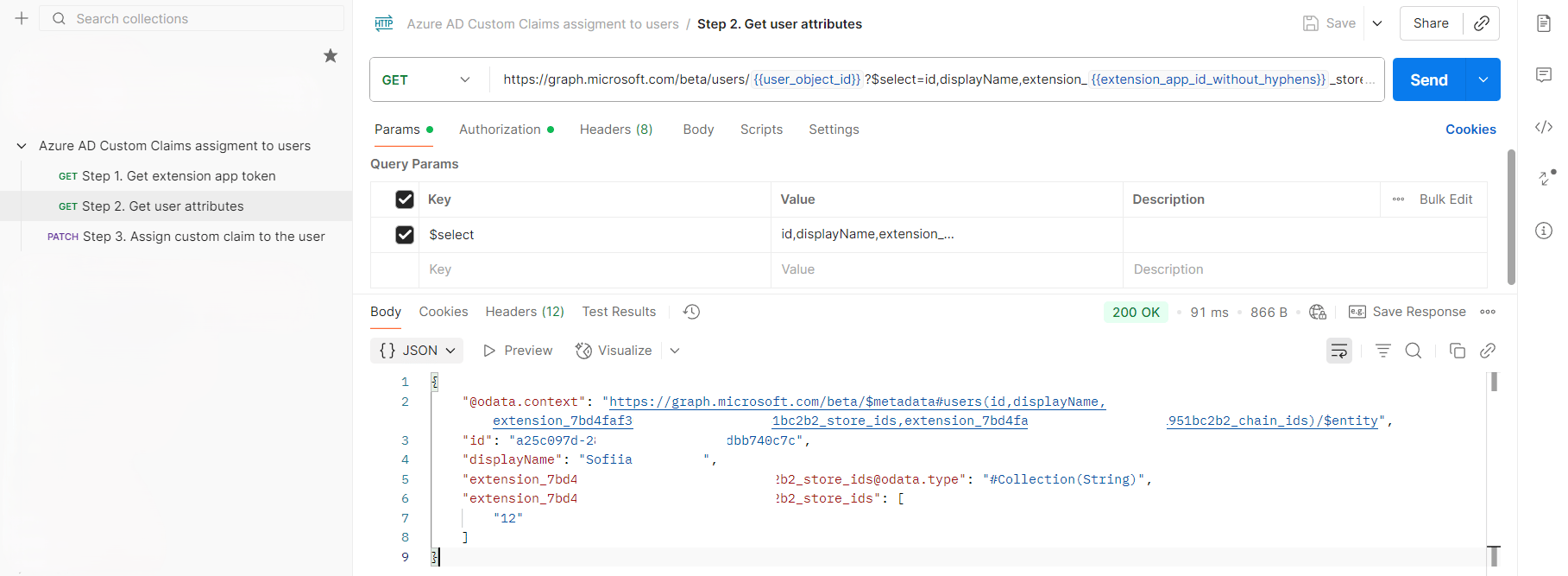
Failure and edge cases
If the admin user sees something else, the cause is usually one of these.Why does the user still see everything, or nothing?
Why does the user still see everything, or nothing?
The claims are read at sign-in. A user who was signed in during the assignment keeps the old token until they sign out and in again.
How do I add or remove a store later?
How do I add or remove a store later?
The
PATCH sets the whole list; it does not add to it. To add store 14 to a user who has 12 and 13, send all three. To remove a store, send the list without it.Why does an id match nothing?
Why does an id match nothing?
The ids must be exactly the ones imported into Lobyco’s store master data. The portal does not translate names or codes.
How do I see what the token carries?
How do I see what the token carries?
Decode it and check that
store_ids or chain_ids is present with the right values. See Verifying the claims in the auth token.Related
- Postman collection — the three requests the assignment uses.
- Verifying the claims in the auth token — reading the claims from a signed-in user’s token.
- Access to Lobyco Admin Portal — the roles that open the sections this access narrows.
- Importing store and chain data — where the ids come from.