

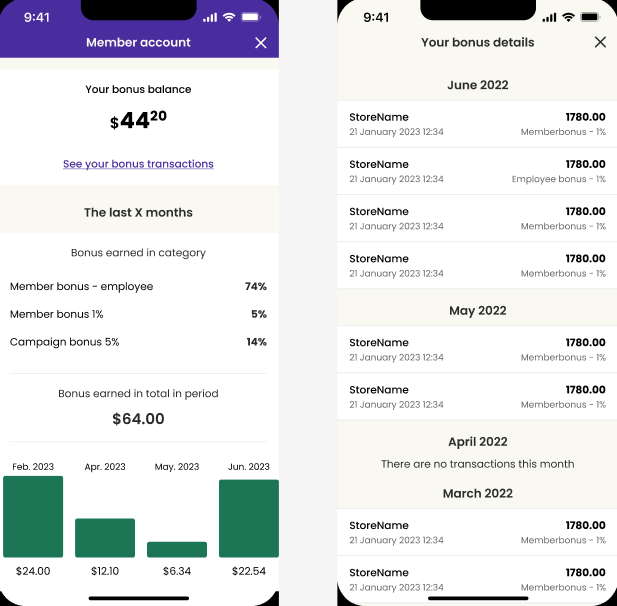
- Balance overview
- Bonus account statement history
- User statistics with visualized bonus accumulation over time (ideal for graphs)
Get Account Details
Retrieve account details using GET /v1/members/memberId/accounts. This returns the available bonus balance, which can be extended with reserved amounts or bonus points expiring within a specified period. The available balance can be used as a payment method during the user’s next store visit.Display the available bonus balance prominently on your app’s main screen, as this is typically considered a core app feature.
Get Account Statements
Statements show users which purchases accumulated bonus points, when, and where. Display these as a separate receipt list using GET /v1/members/memberId/statements. This endpoint also indicates whether bonus points were:- Granted as a base percentage on regular purchases
- Part of bonus campaigns (e.g., “Weekend deal”)
- Rewards from games or challenges