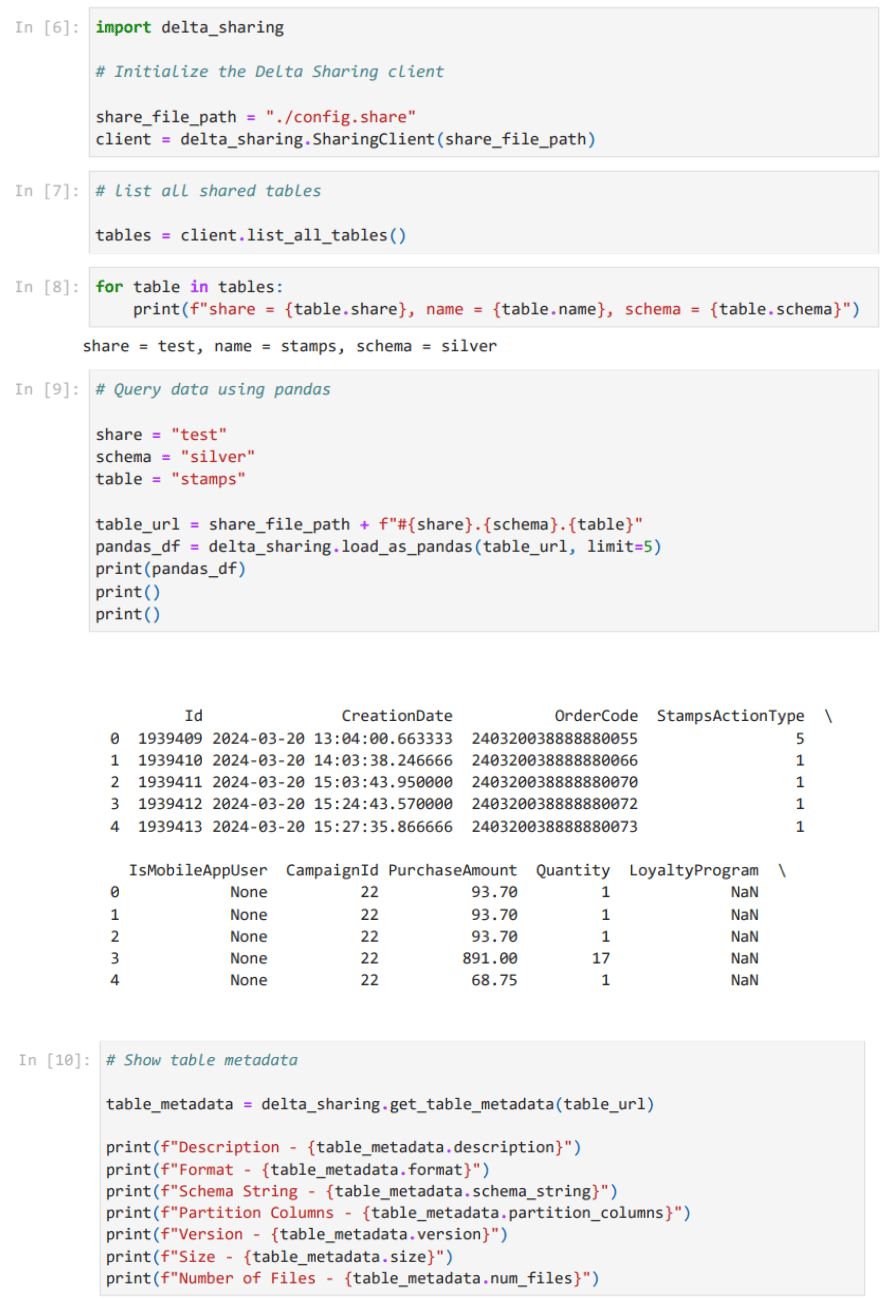
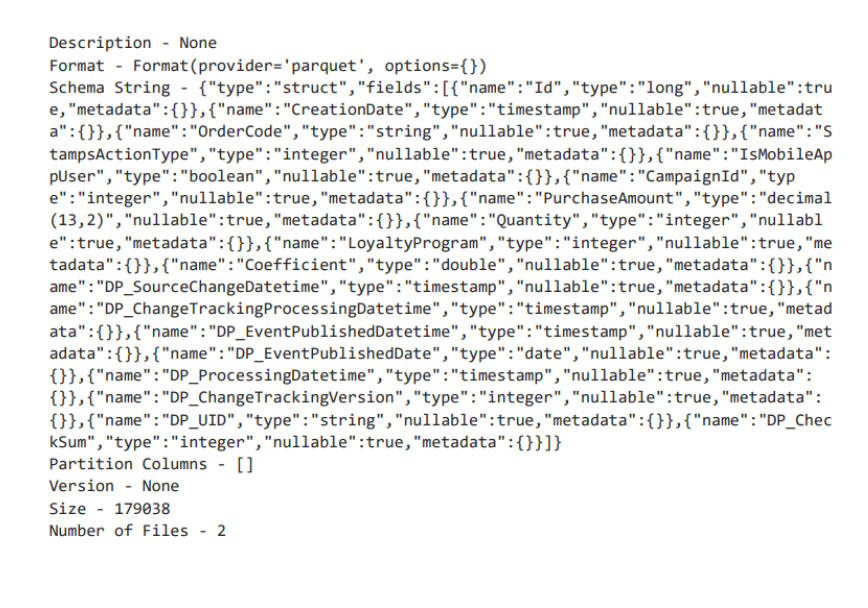
Getting data in relation to analytics and reconciliation of Lobyco productsTo ensure retailers can be up to date how Lobyco products are being used, what campaigns & promotions are running, understanding how much bonus(loyalty bonus) liability has been create and for reconciliation purposes, Lobyco enables retailer to retrieve extensive data from Lobyco services that runs your full Lobyco scope of products.Retrieved by Client from Lobyco Data lake utilising Databricks Delta Sharing.Recipients can access the shared data using various computing tools and platforms, including Databricks, Apache Spark, Pandas, and Power BI. Delta Sharing offers two sharing modes: Databricks-to-Databricks sharing for sharing data within Databricks accounts and open Delta Sharing for sharing data with users outside of Databricks. Credentials will be shared as the project progresses. The retailer will be expected to retrieve data and ingest to any data warehouse and build out reporting. Lobyco can provide examples on how it can be received depending on client setup, i.e. a Python script to retrieve specific data.App analytics / Firebase dataIf your mobile app is powered and delivered by Lobyco, analytics in relation to your app users will be very insightful. In this scenario Lobyco will deliver data in accordance with your Mobile App Scope. The app analytics empowers a retailer to investigate page views per features, avg. time spent on specific pages in the app, features mostly used, peak times etc.App analytics is available for clients to retrieve by Lobyco Data lake utilizing Databricks Delta Sharing.
Delta Sharing is an open protocol for secure real-time exchange of large datasets, which enables secure data sharing across products for the first time. It is a simple REST protocol that securely shares access to part of a cloud dataset. It leverages modern cloud storage systems, such as S3, ADLS, or GCS, to reliably transfer large datasets.With Delta Sharing, the user accessing shared data can directly connect to it through Pandas, Tableau, or dozens of other systems that implement the open protocol, without having to deploy a specific platform first. This reduces their access time from months to minutes, and makes life dramatically simpler for data providers who want to reach as many
users as possible.The Data Platform still supports the traditional data exchange with files and Storage Accounts, but we now also offer Delta Sharing, an open protocol for data sharing that makes it easier and more secure to share data between organizations.
Before using Delta Sharing, you will receive a unique URL. From this URL, you can download a configuration file that contains all necessary credentials. Important: Make sure to save this file in a secure location, as it is required for accessing the shared data.
In config file you will see following structure:{ "shareCredentialsVersion":1, "bearerToken":"TOKEN", "endpoint":"https://DATABRICKS-URL.net", "expirationTime":"9999-12-31T23:59:59.999Z" }
This is the API to list all the tables under all schemas in a share.GET : {prefix}/shares/{share}/all-tables
{prefi}x - our databricks url from config file
{share} - name of “share” (got from GET : {prefix}/shares)
This is the API for clients to read data from a table.POST : {prefix}/shares/{share}/schemas/{schema}/tables/{table}/queryBy reading or downloading file by this URL you could see the data itself.
The change data feed represents row-level changes between versions of a Delta table. It records change data for UPDATE, DELETE, and MERGE operations. If you leverage the connectors provided by this library to read change data feed, it results in three metadata columns that identify the type of change event, in addition
to the data columns:
_change_type (type: String): There are four values: insert, update_preimage, update_postimage, delete. preimage is the value before the update, postimage is the value after the update.
_commit_version (type: Long): The table version containing the change.
_commit_timestamp (type: Long): The unix timestamp associated when the commit of the change was created, in milliseconds.
You could also schedule a daily cron job to automatically retrieve the file with each incremental version.GET : {prefix}/shares/{share}/schemas/{schema}/tables/{table}/changesYou could also set up specific start and end version to read only the latest data from these versions:On the screenshot we can observe two URLs for both versions 12 and 13. And we can also read these files in any way we want. Since only changes are loaded, the process is quicker and can be executed more frequently, enabling near real-time updates with minimal disruption to ongoing operations. This is critical for environments where up-to-date data is necessary for decision-making.You are also only loading and processing the changes, you consume fewer computational resources and less storage. This directly translates to lower costs, especially in cloud environments where resources are billed based on usage.