

Offer flow via Promotion API
1
Import offers from external systems
Offer import is possible from external systems, in case there is another system that can generate offers or allocate coupons.- V2 Bulk import via POST /promotion/v2/bulk/campaigns - send a flat array of offers
- V2 Single import via POST /promotion/v2/campaigns - create a single offer
- V3 Bulk import via POST /promotion/v3/bulk/offers - send a flat array of offers
- V3 Single import via POST /promotion/v3/offers - create or update a single offer
2
Create offers in the Lobyco Admin Tool
Creation directly in the Lobyco Admin Tool where an end user (e.g. marketeer) adds the necessary content regarding discount rules, thresholds, App presentation, and possible segmentation.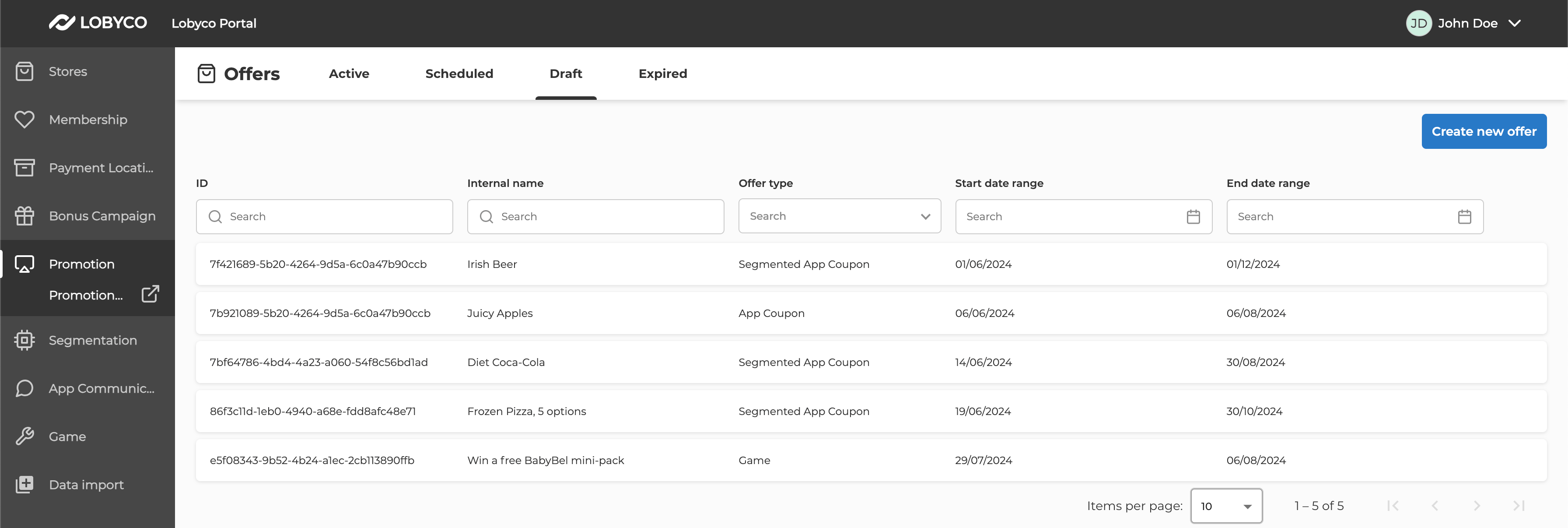
Publish an Offer
Before the Offer can be displayed in the app, you need to publish it. Before the Offer can be published, populate the following fields:- Stores or Chains
- Title, description and imageUrl in content
- Discount details, including rule types and values, threshold types and values and list of impacted products and categories.
- Depending on discount types, you might need to specify more rules. See Offer and discount types or the examples on any of the endpoints.
Assign coupons to customers via Coupon API
- Assign multiple coupons for a single offer to multiple customers in two ways
- Attach a segmentation file through the Admin Tool
- Populate
audienceIdin theOffermodel