> ## Documentation Index
> Fetch the complete documentation index at: https://help.lobyco.com/llms.txt
> Use this file to discover all available pages before exploring further.
# Registering at POS
> Customer check-in at the POS, in both directions: scanning a sticker and the POS scanning the app.
This guide helps understanding the integration from POS to Lobyco utilising the app registering at POS.
**Tip💡**: Before digging into any API calls related to App register at POS, make sure you've setup payment locations for your stores. [Go to 'Setting up payment locations' guide](/integration/pos-point-of-sale-integrations/setting-up-a-payment-location)
When referring to the process of registering at POS, it's one of the two scenarios:
1. Scanning a QR-code sticker at the payment location
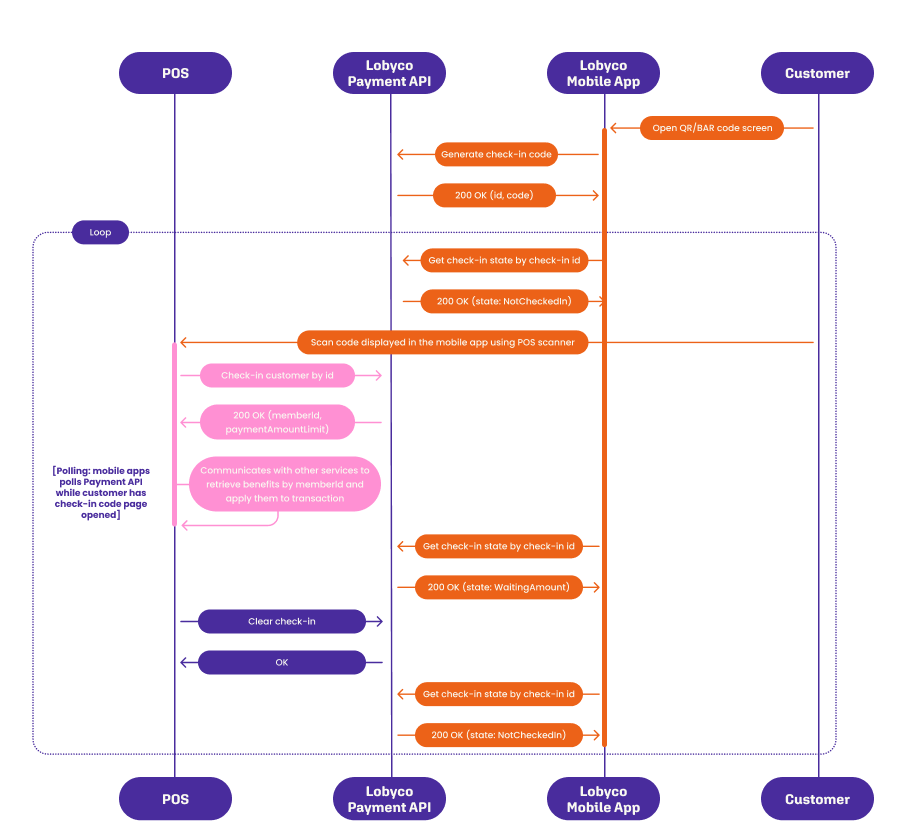
2. The reverse process, scanning QR-code or barcode embedded inside the Lobyco White label app.
To fully understand the registering(check-in) at POS API calls sequence, the following diagram can be studied.
## Mobile app check-in with POS scanning Barcode or QR-code from Mobile app (reverse-checkin)
 ### Endpoints
* [Register member at payment location - v2](/api-reference/payments/payment-coordinator/post-v2-checkin-paymentlocation)
* [Clear check-in](/api-reference/payments/payment-coordinator/post-v1-checkin-paymentlocation-clear)
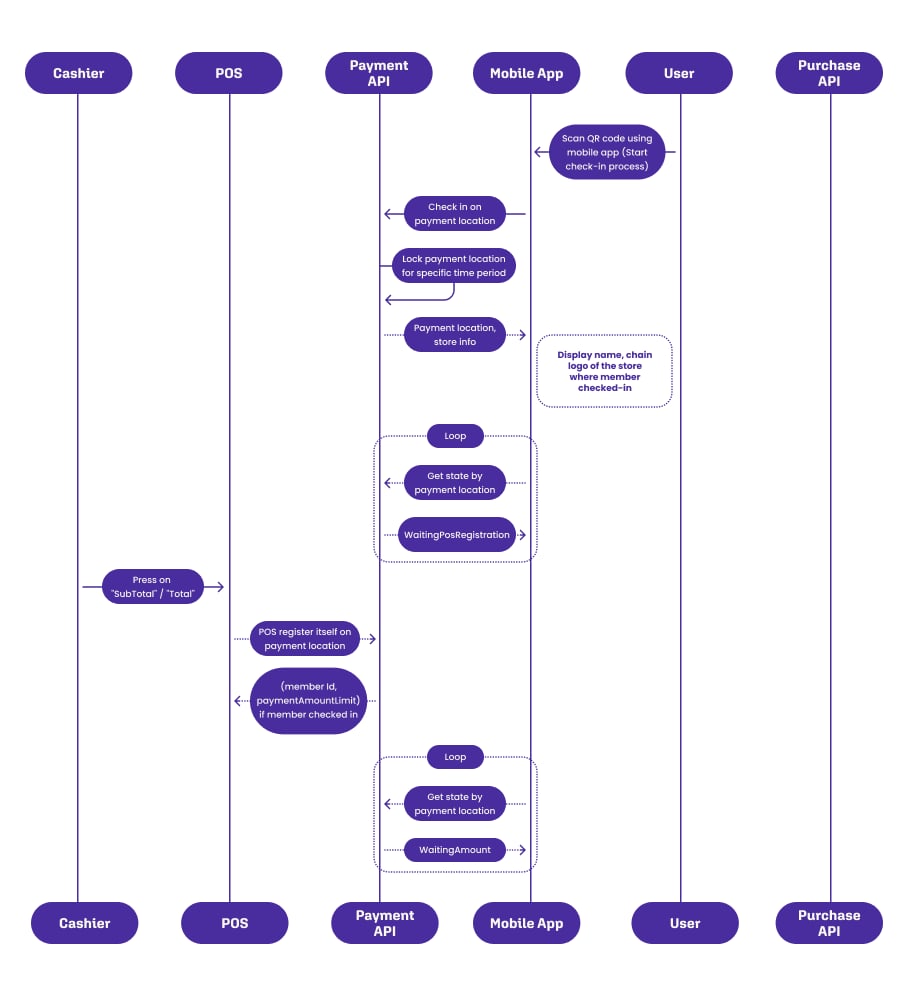
## Mobile app check-in with scanning a QR code sticker at POS
This diagram contain both check-in and payment flows, payment part is optional and should be applied only if cashier pressed button on POS to pay with loyalty app.
### Endpoints
* [Register member at payment location - v2](/api-reference/payments/payment-coordinator/post-v2-checkin-paymentlocation)
* [Clear check-in](/api-reference/payments/payment-coordinator/post-v1-checkin-paymentlocation-clear)
## Mobile app check-in with scanning a QR code sticker at POS
This diagram contain both check-in and payment flows, payment part is optional and should be applied only if cashier pressed button on POS to pay with loyalty app.